Overview
Does Quantzee automate trades like 3Commas? No — Quantzee is signals-only. Quantzee is an AI-adaptive TradingView indicator suite, sold for one payment of $59.99, built for discretionary traders who want non-repainting entry/exit signals on their own charts, while 3Commas is a crypto trading-bot platform that automates order execution — the two solve different problems. If you’re specifically searching for a 3Commas alternative without bots — something that gives you signals only, not unattended execution — that’s exactly the gap Quantzee fills.
Top 5 Alternatives to 3Commas in 2026 (Quick Comparison)
Most “3Commas alternative” searches are two different needs wearing one query. Some traders want a different bot platform. Others have decided they don’t want a bot placing orders at all, and want to trade off signals instead. The table covers both groups. Prices are the vendors’ list prices on their own pricing pages, checked November 6, 2026, not sale prices.
| Rank | Tool | Category | List price | Best For |
|---|---|---|---|---|
| 🏆 1 | Quantzee | AI signal indicators (TradingView) | $59.99 once — Pine source emailed, no renewal | Traders who want adaptive, non-repainting entry/exit signals across crypto, stocks, forex & commodities, and will place the trades themselves |
| 2 | 3Commas | Crypto trading bots (DCA, Grid, Signal) | $20, $50 or $140/mo on monthly billing ($15, $38, $105/mo billed annually) | Traders who want unattended bot execution on the nine exchanges it connects to |
| 3 | Pionex | Exchange with built-in bots | No subscription; you trade on Pionex itself and pay its trading fees | Traders happy to move funds onto one exchange in return for bots that cost no monthly fee |
| 4 | Cryptohopper | Crypto bots + strategy marketplace | Tiered monthly plans (see their pricing page) | Traders who would rather buy a ready-made strategy than build one |
| 5 | Bitsgap | Crypto bots (grid, DCA, COMBO) | $29, $69 or $149/mo on monthly billing ($23, $55, $119/mo billed annually), plus a limited Free plan | Grid-bot users and people who want a demo mode to rebuild their 3Commas setups first |
Full disclosure: we make Quantzee, so the number-one slot is our pick for one narrow job and not a neutral ranking. If what you want is sharper entry and exit timing instead of a bot that trades unattended, Quantzee is the one row here that isn’t a bot. It is also the only one on the list that covers stocks and forex as well as crypto. If you do want bot automation, 3Commas, Pionex, Cryptohopper and Bitsgap are worth comparing against each other, and the next section helps you pick by job.
Read this first: these aren’t the same category
3Commas and Quantzee solve different problems, and knowing which one you actually need takes 30 seconds:
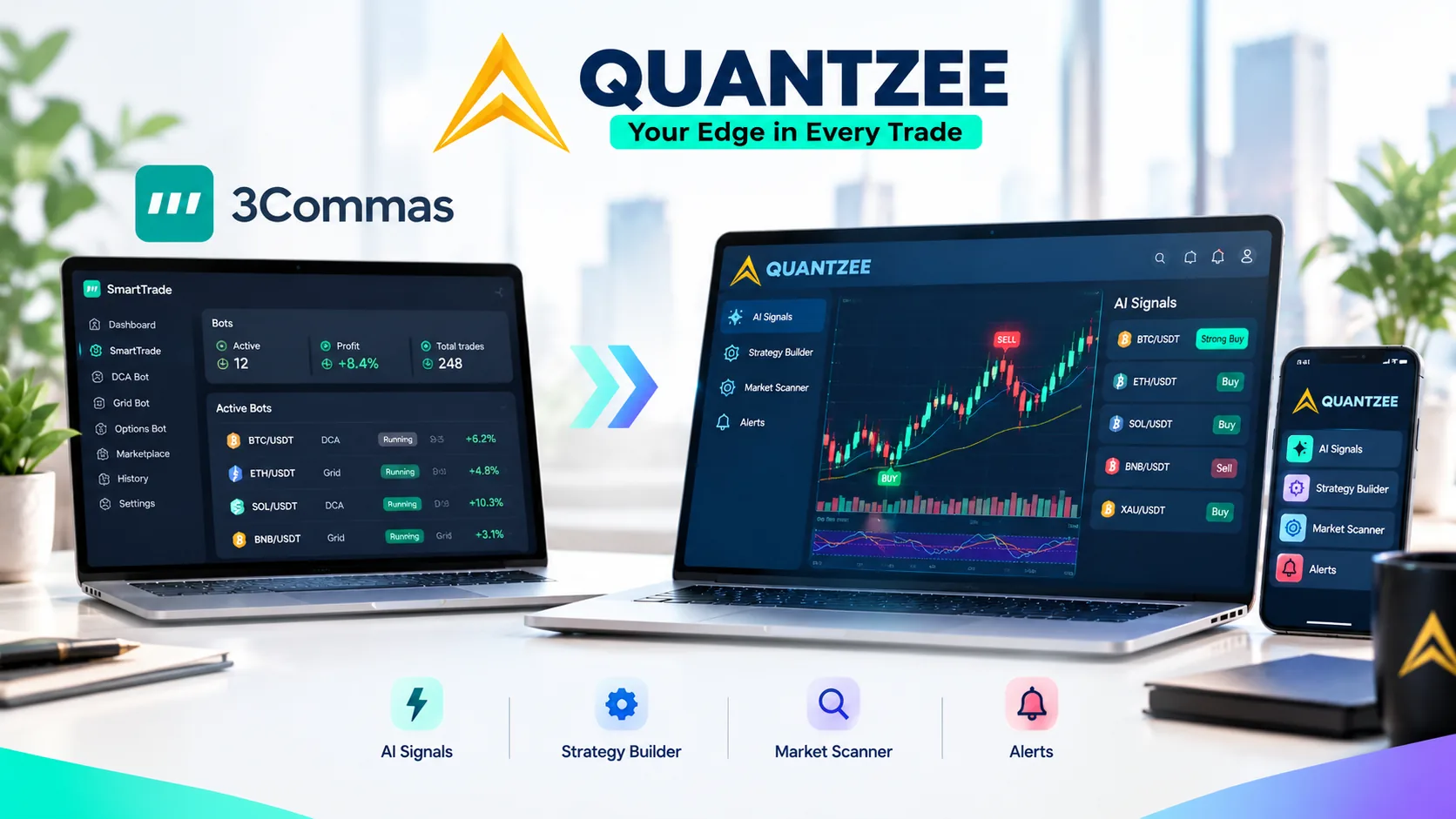
- 3Commas automates trade execution — DCA bots and grid bots that place and manage trades directly on your exchange account via API keys, with no manual step required once configured.
- Quantzee is a TradingView signal and indicator suite — it tells you when a trend is forming, strengthening, or reversing. You (or a TradingView alert you set up) still place every trade. Quantzee never touches your exchange account.
If you want hands-off automated bot trading, 3Commas is the right category — Quantzee will not replace it.
If you’re using 3Commas (or any bot) and want sharper entry/exit timing signals to feed your own manual process, or you trade manually and want a non-repainting, AI-adaptive read on trend strength before you act, that’s where Quantzee fits. The two can also run side by side — signals from Quantzee, execution through 3Commas — for traders who want both. As always, paper trade any new signal source first before connecting it to live capital or an automated bot.
The comparison below covers where the two products’ feature sets differ, for traders evaluating whether either tool fits their workflow.
If you are coming from a bot-centric trading setup and wondering whether to keep automating or switch to manual signals with better analysis, the moving off crypto trading bots guide covers the full migration thinking — when bots help, when they hurt, and what the transition looks like in practice.
Some people ask a third question: can a paid Telegram signal feed be piped into a bot? We looked at that for one of the best-known crypto signal services in our Fat Pig Signals review, including what its official site does and does not say about bots.
⚡ Key Takeaways
- 3Commas costs $20, $50 or $140 a month on monthly billing and connects to nine crypto exchanges — Quantzee delivers AI signals for stocks, crypto, and forex for one $59.99 payment, with the Pine Script source emailed to you
- 3Commas runs static bots that struggle in volatile or choppy markets; Quantzee uses adaptive AI signals that update to current market conditions
- All Quantzee signals are non-repainting — locked on bar close with no retroactive changes, verifiable with TradingView's Bar Replay
- The Quantzee indicator suite is non-repainting by design, verifiable on your own charts before you commit to a paid plan
Which 3Commas Alternative Fits Which Job
Most of the lists ranking these tools skip the question that decides it: what exactly are you replacing? 3Commas is four or five products under one login (DCA bots, grid bots, signal bots, a manual SmartTrade terminal, and a place to send TradingView alerts). Pick the piece you actually used.
| If you used 3Commas for… | Look at | The catch |
|---|---|---|
| Grid bots and a demo mode to rebuild your setups first | Bitsgap | Its own comparison page says Basic costs more than 3Commas Starter, and it has no signal marketplace or copy trading |
| A bot with no subscription and no API keys to hand over | Pionex | It is an exchange. Your funds live on Pionex, and the bots only trade there |
| A marketplace of ready-made strategies and templates | Cryptohopper | Results depend on whose strategy you copy, and a marketplace only shows you the survivors |
| Sending TradingView alerts to an exchange | WunderTrading, Cornix, or 3Commas itself | You still have to supply good signals. These tools execute, they don’t generate |
| Trading Telegram or Discord signal calls | Cornix | The quality of the call is the whole game, and the bot cannot fix a bad one |
| Manual trading across exchanges with some bots on the side | Altrady | Its own roundup puts it first among its picks, so weigh that, and there’s no permanent free plan |
| Learning on free tiers first | Gainium, WunderTrading | Free tiers are capped at a handful of bots, which is fine for learning and thin for running real size |
| Deciding when to enter and exit, then trading it yourself | Quantzee (signals on your TradingView chart) | No execution at all. You or your own alert routing place the orders |
Two things stood out from reading the competing pages. First, several of them make the point that most “alternatives” in the bot category run the same core DCA and grid mechanics, which matches how these bots work, so swapping one for another changes the interface and the bill more than it changes the outcome. A DCA bot that keeps adding as price falls behaves the same way on any platform. Second, the lists written by bot vendors tend to rank themselves first, and so does ours, which is why the table above tells you the catch for every row.
Plans and limits move often. Bitsgap’s own comparison says it checked its prices in October 2026 and warns they change, so open the pricing page before you pay anyone.
What is 3Commas?
3Commas launched in 2017 and became one of the best-known crypto bot platforms. It connects to your exchange account through API keys, so your coins stay on the exchange and the platform sends orders on your behalf. Its exchanges page currently lists nine: Binance, Hyperliquid, Bybit, OKX, Bitget, Gate, Kraken, KuCoin and Coinbase. Older reviews quote 14 to 18, which tells you the list has shrunk or the reviews are stale. If you’re in the US, check which of those nine actually accepts you before anything else.
What you get on the product side:
- DCA bots – buy a base order, then add dollar-cost averaging safety orders as price falls, and sell the whole position at a profit target.
- Grid bots – place buy and sell orders across a price range you define.
- Signal bots – run on webhooks and indicator-based conditions, including TradingView alerts.
- SmartTrade – a manual trading terminal with take-profit, stop-loss and trailing orders.
- Demo account, webhook execution and Pine Script execution on every plan, according to the pricing page.
The newest thing on the site is QuantPilot, which 3Commas describes as an agentic platform where AI builds, tests and optimizes strategies. That is AI helping you build bots. It is a different thing from an indicator that reads your chart and marks entries, which is the job Quantzee does.
Why Traders Look for 3Commas Alternatives
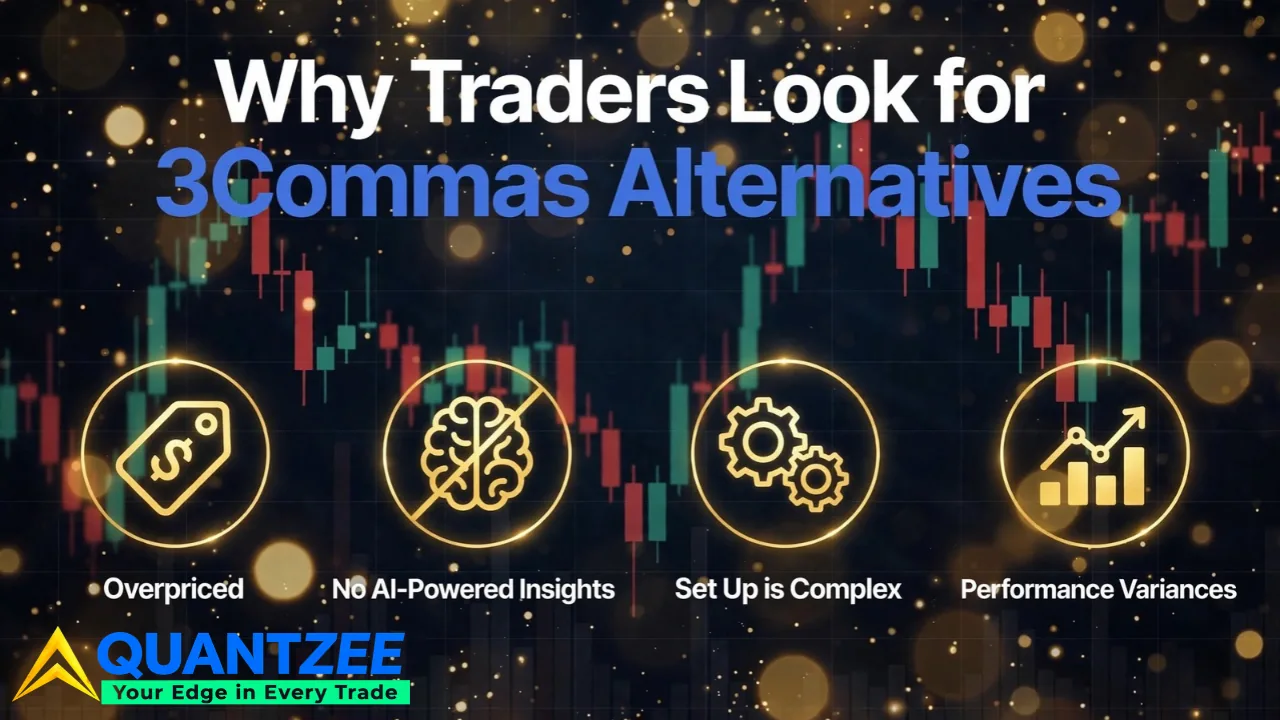
Almost nobody leaves over one thing. These are the reasons that come up again and again:
- The tier you need costs more than the tier you wanted. Starter is $20 a month, but it is spot only, with one API key per exchange and two grid bots. Futures start on Pro at $50, and the limits only really open up on Expert at $140. People who only wanted better entries often end up paying for bot capacity they never use.
- Trust after December 2022. 3Commas confirmed that a set of users’ API keys had leaked. One 2026 write-up on the incident notes that the damage came from trades placed with trade-only keys, not from withdrawals. Encrypted key storage has been reported since, and you should still read their current security page yourself. Some traders simply decided they didn’t want a third party holding exchange keys at all.
- DCA math in a falling market. A DCA bot adds safety orders at fixed distances and fixed multipliers. In a range that works nicely. In a long slide it keeps buying, tying up more capital at worse prices, because the bot has no idea whether this is a pullback or a regime change. This is the structural complaint, and it applies to every bot platform, not just this one.
- Grid bots in a trend. A grid earns in sideways chop. When price leaves the range upward you’re sitting in cash, and when it leaves downward you hold the bag at prices above the market.
- Setup complexity. A DCA bot has a long list of settings: base order, safety order size, step scale, volume scale, take profit, max safety orders. Default settings are mediocre, and wrong settings lose money quietly.
- Fee stacking. You pay the subscription and the exchange’s trading fees, whether the bots made money that month or not.
3Commas Pros and Cons
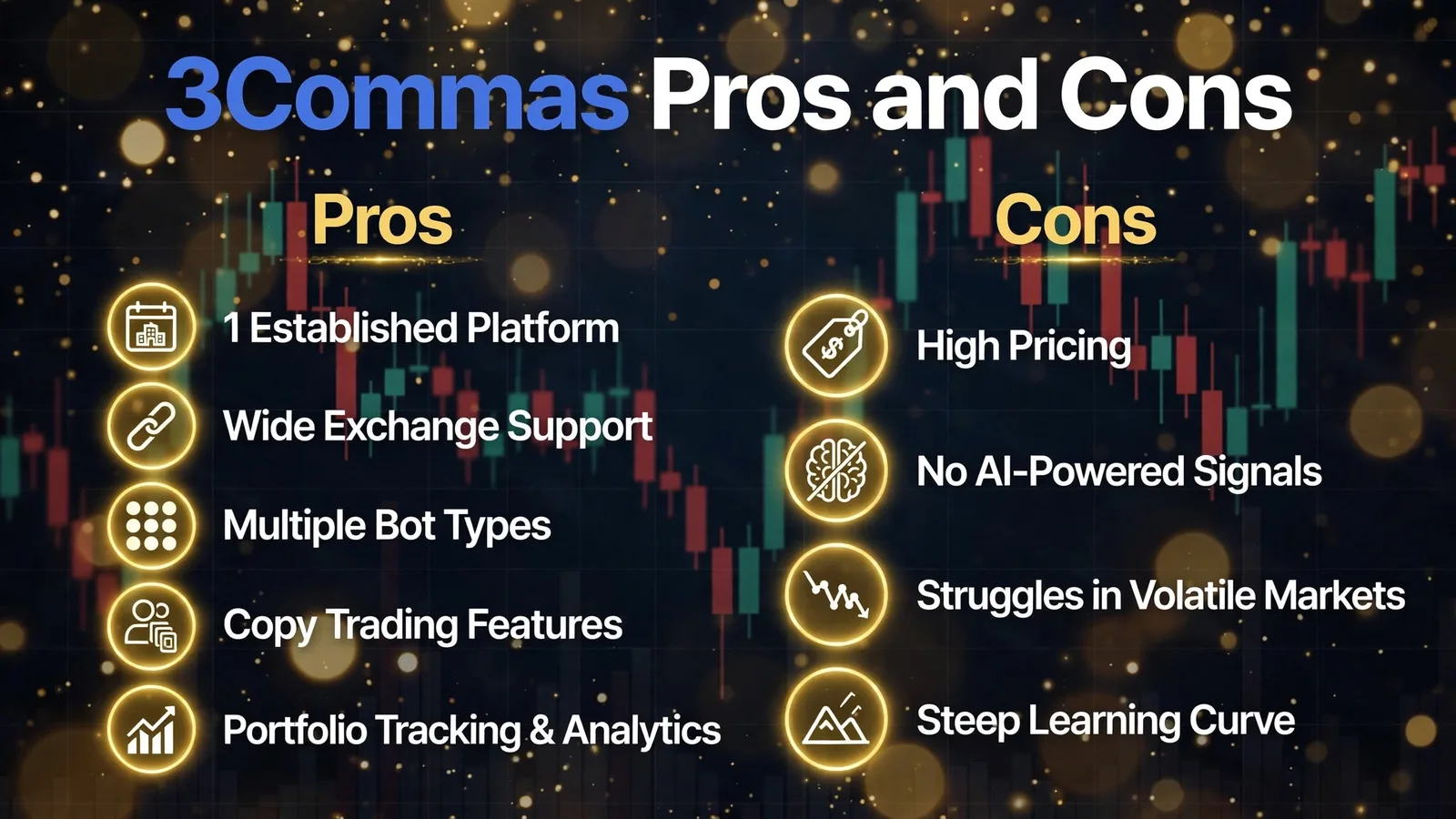
Pros:
- Established platform – running since 2017 with a large user base.
- Several bot types plus a manual terminal – DCA, grid and signal bots, and SmartTrade for hand-placed orders with trailing and multiple take-profit targets.
- TradingView hook-up – webhook and Pine Script execution on every plan, so your own alerts can drive bots.
- Demo account on every plan – you can rehearse a setup before you connect real money.
- Marketplace and portfolio tools – copy other users’ bot templates and track your balances.
Cons:
- Ongoing cost – $20 to $140 a month on monthly billing, for as long as the bots run.
- Plan limits drive the price – bot counts, API keys per exchange and futures access all sit behind the higher tiers.
- It doesn’t pick your entries for you – bots run on rules, TA presets and signals you feed in. It will execute a bad idea very efficiently.
- Static rules – fixed safety-order and grid settings don’t change when volatility does.
- Third-party API keys – you’re trusting another company’s storage of keys that can place trades on your account.
3Commas pricing explained (2026)
These are the figures on 3Commas’ pricing page as of November 6, 2026. The monthly column is the list price. The page also advertises annual billing, with a “3 months free” offer, so I’ve shown the annual-billing price separately.
| Plan | Monthly billing | Annual billing (per month) | Annual total | 3 years at the annual rate |
|---|---|---|---|---|
| Starter | $20/mo | $15/mo | $180/yr | $540 |
| Pro | $50/mo | $38/mo | $456/yr | $1,368 |
| Expert | $140/mo | $105/mo | $1,260/yr | $3,780 |
What each tier actually allows, per the same page:
| Starter | Pro | Expert | |
|---|---|---|---|
| Markets | Spot only | Spot and futures | Spot and futures |
| API keys per exchange | 1 | 5 | 25 |
| Active DCA bots | 5 | 20 | 1,000 |
| Active signal bots | 2 | 20 | 1,000 |
| Active grid bots | 2 | 10 | 1,000 |
| Support | Live chat | Live chat | Priority live chat, plus read/write developer API |
Included on all three: a demo account, webhook execution and Pine Script execution.
Things that matter more than the headline numbers:
- The cost never stops. The plan is the entry fee for keeping bots running. Stop paying and the automation stops with it. Quantzee’s full 6-indicator suite is $59.99 paid once, which is roughly three months of Starter at the monthly price and then nothing. Against Starter’s annual total of $180, a three-year run of Pro costs about 23 times what Quantzee does ($1,368 vs $59.99). The two are different tools, so that’s a cost comparison and not a verdict.
- Futures are not on Starter. If you trade perpetuals, the real entry price is Pro at $50 monthly.
- Crypto payments can’t recur. The pricing FAQ says recurring billing isn’t available if you pay in cryptocurrency, so those subscribers renew by hand.
- Old numbers are everywhere. Review sites still quote $29 and $49 Pro and Expert tiers, and a 2021 article lists plans from “free” to $99. Those don’t match the current page. If an article doesn’t name its date and link 3Commas’ own pricing, don’t trust the number.
Is there a free 3Commas plan? The pricing page offers a free trial, not a free tier, and describes it as full access to the tools. Bitsgap’s October 2026 comparison also says 3Commas has trials and no free plan. Treat anything older that promises a permanent free plan as dated, and check 3commas.io/pricing before signing up.
Moving Off 3Commas: API Keys, the 2022 Leak and a Safe Switch
If you’re leaving because of trust, the switch itself is where people slip. Bot settings don’t transfer between platforms, because each one structures its logic differently. You rebuild, and a rebuild is a good time to ask whether you want the same setup back at all.
A sequence that keeps risk low:
- Write down your current bot settings. Base order, safety orders, step and volume scale, take profit, stop. Screenshot them as well.
- Rebuild in a demo first. Bitsgap, Cornix and 3Commas itself all offer demo or paper modes. Run old and new side by side for a few days and compare how they behave, not just how they look.
- Create fresh exchange keys with trade permission only. Never enable withdrawals on a key a third party holds. Whitelist the platform’s IP addresses if the exchange allows it.
- Revoke the old 3Commas key from the exchange side once you’ve moved. Do this first or last, but do it. Revoke it on the exchange itself instead of assuming that closing an account does it for you.
- Use a sub-account for bots where your exchange supports it, with only the capital the bots may use.
- Remember trade-only isn’t harmless. A key that can’t withdraw can still place trades. In the 2022 incident, accounts were hurt by trades alone. Treat the keys as live money.
Signal-only tools like Quantzee skip all of this. Nothing connects to your exchange, so there is no key to leak. The cost is that you place the trade yourself. If that trade-off sounds right, the guide to moving off crypto trading bots walks through the transition in more detail.
Free 3Commas Alternatives, and What “Free” Really Costs
“Free” in this category comes in four flavors, and they behave very differently:
- Free tiers with caps. WunderTrading’s Free plan lists 1 signal bot, 1 DCA bot and 1 grid bot. Gainium advertises a free-forever plan and starts paid tiers at $15 a month ($12 on annual billing), according to its pricing page. Bitsgap’s Free plan gives you demo bots and three live COMBO bots on one exchange, by its own description. They’re good for learning and thin for real size.
- An exchange with bots built in. Pionex charges no subscription because it earns on trading on its own exchange. You’re moving funds there and accepting its fees and its venue.
- Self-hosted software. OctoBot is open source and Gunbot is a local licence, per the StaxInvesting roundup. Your keys stay on your machine, and you do the setup and the upkeep.
- Trials. 3Commas, Bitsgap (7 days of Pro, no card) and Cornix (14 days) all give a trial. A trial is a test drive, not a free plan.
Quantzee isn’t free. It’s $59.99 once and there is no trial or free tier. What you can do for nothing is test the non-repainting behavior before you buy, because the check is just TradingView’s Bar Replay. The full method is in how to test any TradingView indicator for repainting, and it works on any vendor’s indicator, ours included.
What Users Say About 3Commas (Real Feedback)
Here are the common sentiments across Reddit r/3Commas, Trustpilot, SiteJabber and various platforms:
Positive Reviews:
- Emotion-free trading execution – Many users praise 3Commas for helping remove emotional decision-making from trading, allowing strategies to be executed consistently without fear or FOMO.
- Powerful and customizable bots – Wide range of bot types, deep customization options, and flexibility for experienced traders.
- Strong automation and SmartTrade features – SmartTrade tools receive frequent praise for enabling simultaneous buy and sell setups, helping traders manage positions even while away from their screens.
- Reliable performance in stable markets – The bots perform well when markets are trending or moving within predictable ranges.
Negative Reviews:
- Hidden limitations on AI features – Several users report that the heavily promoted AI Assistant is subject to strict monthly token limits that are not clearly disclosed upfront. Beginners in particular mention exhausting these limits within a single day, leaving them without guidance during bot setup.
- Outdated AI guidance and weak onboarding – AI Assistant provides outdated instructions that don’t match the current interface, making it difficult for new users to complete bot configurations without external help.
- Customer support concerns – Multiple users describe slow or unhelpful customer support, especially when asking for assistance with bot setup or performance issues.
- Pricing transparency issues – Long-term users have criticized frequent pricing changes, discontinued plans, and large price increases. Several reviews describe these changes as confusing or unfair, particularly for existing customers who expected stable renewals.
Traders generally believe it is useful for automation, but not the optimal tool for traders focusing on adaptive signals or traders who are cost conscious.
Meet Quantzee: The Smarter 3Commas Alternative

Quantzee is built for today’s traders who demand reliable, adaptive, and affordable trading signals. Instead of relying on static bots that struggle in changing market conditions, Quantzee delivers live signals from an AI-powered trading indicator suite that evolves with the market in real time.
Unlike many automated tools, Quantzee uses a non-repainting methodology, meaning signals never change after they appear. What you see is what you get, no back-painting and no surprises when you scroll back through history.
Why Quantzee Wins:
- AI Signals – Adaptive intelligence in all timeframes.
- Non-Repainting Method – Just as the name suggest, non-repainting means that it never repaints signals at any time.
- Worldwide Market Scope – Crypto, currencies, stocks, and commodities.
- Affordable – Available to Investors around the world.
- Easy for Beginners – No coding needed, just plug and play signals.
- It’s not just for crypto traders, either — set it up if you’re serious about trading smarter but not overspending.
If You’re Using TradingView, You May Not Need 3Commas for Signals
3Commas solves a specific problem: executing trades through bots connected to crypto exchange APIs. If your actual need is better signal identification on TradingView, knowing when to enter and exit, Quantzee covers the signal side without a $20-$140 monthly bill, since it is a single $59.99 payment.
The practical workflow for TradingView-first traders:
- Signal identification – Quantzee indicators show non-repainting buy/sell signals directly on your TradingView chart.
- Alert setup – TradingView’s native alert system fires push, email or webhook notifications when a Quantzee signal triggers. If your phone is the main screen, the mobile alert workflow shows how to set that up.
- Execution – you place the order yourself, or route the alert to an execution tool. A no-code walkthrough is in the TradingView alerts to webhook setup guide.
One useful fact from the competing pages: 3Commas itself accepts TradingView webhooks and Pine Script execution on every plan. So these two are not either/or. You can use a Quantzee alert as the trigger and a 3Commas signal bot as the executor, as long as you test the whole chain with a demo account first. A webhook adds latency, and alert delivery can fail, so size your first live trades small.
3Commas remains the right tool if you specifically want grid or DCA automation. For smarter signal identification across crypto, stocks and forex, Quantzee signals plus TradingView alerts cover that part for far less.
How to Verify Signal Quality Before You Switch: A Backtesting Walkthrough
Whichever tool you choose, a 3Commas bot strategy or a TradingView indicator like Quantzee, don’t take marketing claims at face value, ours included. Here’s a repeatable way to check before paying anyone:
- Test for repainting first. On TradingView, load the indicator, open Bar Replay (clock icon), and step through a period you haven’t already looked at. If a signal appears on a bar and then shifts or vanishes once the next bar closes, the indicator repaints, and its history isn’t representative of live trading. The 5-minute repainting test walks through it.
- Use TradingView’s Strategy Tester for a rules-based read, if the indicator has a companion strategy script. It shows trade-by-trade entries and exits, win rate and drawdown, but its defaults (zero commission, ideal fills) overstate real performance unless you set commission and slippage to match your broker or exchange.
- For 3Commas, use the demo account. The pricing page lists a demo account on every plan, and the features list includes backtesting. Check on their site what depth each plan gets. Run a full month on demo across different market conditions before you connect real money.
- Forward-test small. A backtest shows what a strategy would have done. Only live trading at small size shows whether the edge survives your spread, slippage and reaction time. The backtest vs live mismatch guide covers where the gap comes from, and why TradingView paper trading fills you at a price no broker would give you covers one place a paper account flatters you.
- Judge risk by drawdown, not win rate. A 90% win rate with a few catastrophic losers is worse than 55% with tight risk control. Look at the worst stretch you’d have had to sit through, and ask whether you would have kept running it.
- Keep your own trade log. Log every signal you act on and its outcome. It’s the only dataset that reflects your execution, not the vendor’s.
The AI Signal Risk You Should Know About
Any tool — bot-based or signal-based — that markets itself as “AI-powered” carries a specific risk profile worth naming plainly:
- Opaque methodology. Neither 3Commas’ AI-adjacent features nor most third-party AI signal tools publish full model architecture, training data, or out-of-sample validation results. Without that disclosure, “AI-powered” is a claim you cannot independently audit — it should be treated as a marketing description, not a verified capability, until you test the actual signal behavior yourself.
- Regime dependency. Any adaptive or machine-learning-influenced system was trained or tuned against historical market conditions. There is no guarantee it performs the same way in a market regime meaningfully different from what it saw during development — sudden volatility spikes, flash crashes, and structural regime shifts (like a major rate-policy change) are exactly the conditions where adaptive systems are least tested.
- Automation compounds errors faster than manual trading. A bot (3Commas) or an automated execution pipeline built on any signal source will act on a bad signal immediately and at scale, whereas a discretionary trader reviewing a chart signal has a moment to sanity-check it against visible context the model may not weight the same way.
- No signal tool — AI-labeled or not — removes trading risk. Position sizing, stop discipline, and knowing when to sit out are still entirely the trader’s responsibility regardless of how the signal was generated.
The practical takeaway: treat “AI-powered” as a starting point for due diligence, not a substitute for it. Verify non-repainting behavior, ask what data and methodology (if any) is disclosed, and forward-test before scaling position size — for any tool making this claim, ours included.
Workflow-Integration Tools Worth Knowing
If you’re moving from a 3Commas bot-centric setup to a signal-plus-manual-execution workflow on TradingView, these are the commonly used pieces that traders combine with chart-based indicators (mentioned here for workflow context — evaluate each independently, we don’t have a commercial relationship with any of them):
- TradingView native alerts — the free, built-in mechanism for turning any indicator condition (including Quantzee’s) into a push/email/webhook notification. No third-party tool required for basic alerting.
- Webhook relay services (e.g., Signalstack, Alertatron) — third-party services that receive a TradingView alert webhook and forward it to a broker/exchange API for semi-automated execution, without building a custom bot. Useful for traders who want faster-than-manual execution without adopting a full bot platform like 3Commas.
- Broker/exchange native APIs — for traders comfortable with basic scripting, connecting TradingView alert webhooks directly to a broker’s own API (where the broker offers one) is the most direct integration path, cutting out a middleware service.
- Spreadsheet or lightweight trade-journal tools — not exciting, but the most commonly underused piece of any signal-based workflow; logging every alert and outcome is what turns “I think this indicator works” into a verifiable personal track record.
None of these replace the judgment step — sizing, risk management, and the decision to act on or skip a given signal remain manual regardless of which relay tool sits in the middle.
The migration journey: from bot-dependent to signal-driven
Many traders who evaluate 3Commas alternatives are actually going through a broader mindset shift, not just a tool swap. They started with bots because the promise was compelling — set it, run it, profit without watching the screen. Then they discovered what bots do not handle well: sudden regime changes, flash crashes, news spikes, and range-bound markets where a DCA bot keeps averaging into a declining position.
The switch from bot-first to signal-first is not about giving up automation — it is about shifting which decisions get automated. With a bot, you automate the execution; you still have to get the setup right or the bot multiplies your mistakes. With AI-adaptive signals on TradingView, you automate the pattern recognition and signal generation; you retain the execution decision, which is often where the real edge lives.
The traders who thrive in this transition typically:
- Stop treating every signal as an automatic execute and start using signal confluence (multiple timeframes agreeing, volume confirming, level context aligning) before acting
- Use TradingView alerts as a notification layer rather than an execution trigger — the alert wakes them up, the chart context drives the decision
- Keep position sizing manual because the AI cannot know their account size, risk tolerance, or whether they already have correlated exposure elsewhere
If you’re also weighing paid signal tools more broadly, what to look for in a TradingView signal tool and what paid crypto signal groups are really selling cover the questions worth asking before you pay anyone. For a detailed look at why bots underperform in certain conditions and what the alternative workflow looks like, see moving off crypto trading bots in 2026.
Verify before committing
The Quantzee indicator suite is $59.99 once, no free tier or trial. Add it to any TradingView chart and compare the signal quality against what you have been getting from a bot-generated signal feed. The non-repainting test is simple: screenshot a signal when it fires, wait for candles to close, check whether it changed. It will not.
No API keys, no card on file, no renewal — pay once and the code is yours. Unlike 3Commas, Quantzee never connects to your exchange account and never holds trading permissions, and there is no billing relationship to manage at all: quantzee.com/pricing is a single $59.99 purchase, after which the Pine Script source for all six indicators is emailed to you. Nothing renews and there is nothing to remember to cancel.
Quantzee indicators are analytical software tools designed to assist your own analysis. This content is for educational purposes only and does not constitute investment advice. Do your own research. Trading involves risk of capital loss. Quantzee is not a registered investment advisor. Analytical software, not investment advice.
Quick Comparison: 3Commas vs Quantzee
| Feature | 3Commas | Quantzee |
|---|---|---|
| What it does | Executes bot orders on your exchange | Shows signals on your TradingView chart |
| AI | QuantPilot / AI assistant to help build bots | AI-adaptive indicator signals on the chart |
| Non-repainting logic | Not applicable (execution platform) | ✅ Yes (signals lock on bar close) |
| Pricing | $20 / $50 / $140 per month on monthly billing (pricing page) | $59.99 once, no renewal, source code emailed |
| Market coverage | Crypto exchanges (nine listed) | Crypto, forex, stocks, commodities |
| Ease of use | Moderate (bot setup, API keys) | Beginner-friendly (add to chart, set alerts) |
| Connects to your exchange | Yes, through API keys | No, never |
| Automation | ✅ Yes (DCA, grid, signal bots) | ❌ No (signal-focused) |
Is 3Commas worth it in 2026? The verdict
3Commas deserves credit. It was one of the first products to automate crypto trading and traders who like building bots still use it. If you want DCA or grid automation on one of its nine exchanges and you’ll keep an eye on the account, the price is fair for what the plan allows.
It stops being the right answer in three cases. You want better entries and not execution. You trade stocks or forex as well as crypto. Or you don’t want a third party holding trade-capable API keys. In those cases the alternatives above fit better, and for the first two, a signals-only tool like Quantzee costs a fraction as much.
Whatever you pick, paper trade it first, size small and log every trade.
3Commas DCA Alternative: Signal-Based DCA Without the Bot
3Commas’ DCA bot averages into a position on a fixed price-drop schedule. That works in a clean uptrend or a range. In a sustained downtrend it keeps buying, since the bot has no read on whether the drop is a pullback or a trend reversal. A 3Commas DCA alternative built on signals flips that logic: instead of a bot averaging down on a timer, Quantzee’s adaptive indicators flag when conditions favor adding to a position (trend strength, volatility regime, level confluence) and you decide whether to add.
For traders specifically searching for a 3Commas DCA alternative, the practical difference is:
- 3Commas DCA bot – pre-set price-drop intervals, fixed order sizing, runs unattended, no read on market regime.
- Quantzee AI signals – adaptive buy-zone signals on your TradingView chart, and you decide manually whether to add, which keeps DCA-style position building and removes the “keep averaging into a falling market” failure mode.
This isn’t full automation. It’s DCA decision-support. If you want the averaging discipline of a DCA bot without the blind schedule, this is the model to use. Remember the capital math as well: every extra entry commits more money, so decide the total you’re willing to put into one idea before you place the first order.
Explore Quantzee Indicators
- SuperTrend Pro+ — dual-SuperTrend confluence, auto ATR Entry/TP/SL ladder
- MACD Pro+ — adaptive chop-zone grading, divergence engine
- Smart Money Concepts (SMC) Toolkit Pro — BOS/CHoCH structure, order blocks, liquidity mapping
- AI Adaptive Quant Toolkit — all-in-one AI signals & overlays
View all indicators · See pricing
Related Articles
- Moving Off Crypto Trading Bots in 2026
- Best Crypto Trading Indicators in 2026 — if you’re replacing bot entries with chart signals
- Non-Repainting TradingView Indicators Guide
- TradingView Alerts to Webhook: A No-Code Setup Guide
- Trading From Your Phone: A Mobile Alert Workflow
- Paid Crypto Signal Groups: What You’re Really Paying For
- What to Look for in a TradingView Signal Tool
- TradeDots Alternative
- AI Signals Alternative
- Tickeron Alternative
- Altfins Alternative — for crypto traders comparing bot automation against screening/discovery tools
- EzAlgo Alternative — for traders who want signals on-chart rather than routed through a bot
- AltSignals Alternative — if you want signals rather than bots: checked pricing, published win rates and delivery compared