Disclaimer: This content is for educational and informational purposes only. Quantzee indicators are analytical software tools designed to assist your own analysis. Nothing in this article constitutes investment advice. Trading involves risk of capital loss. Do your own research before making any trading decision.
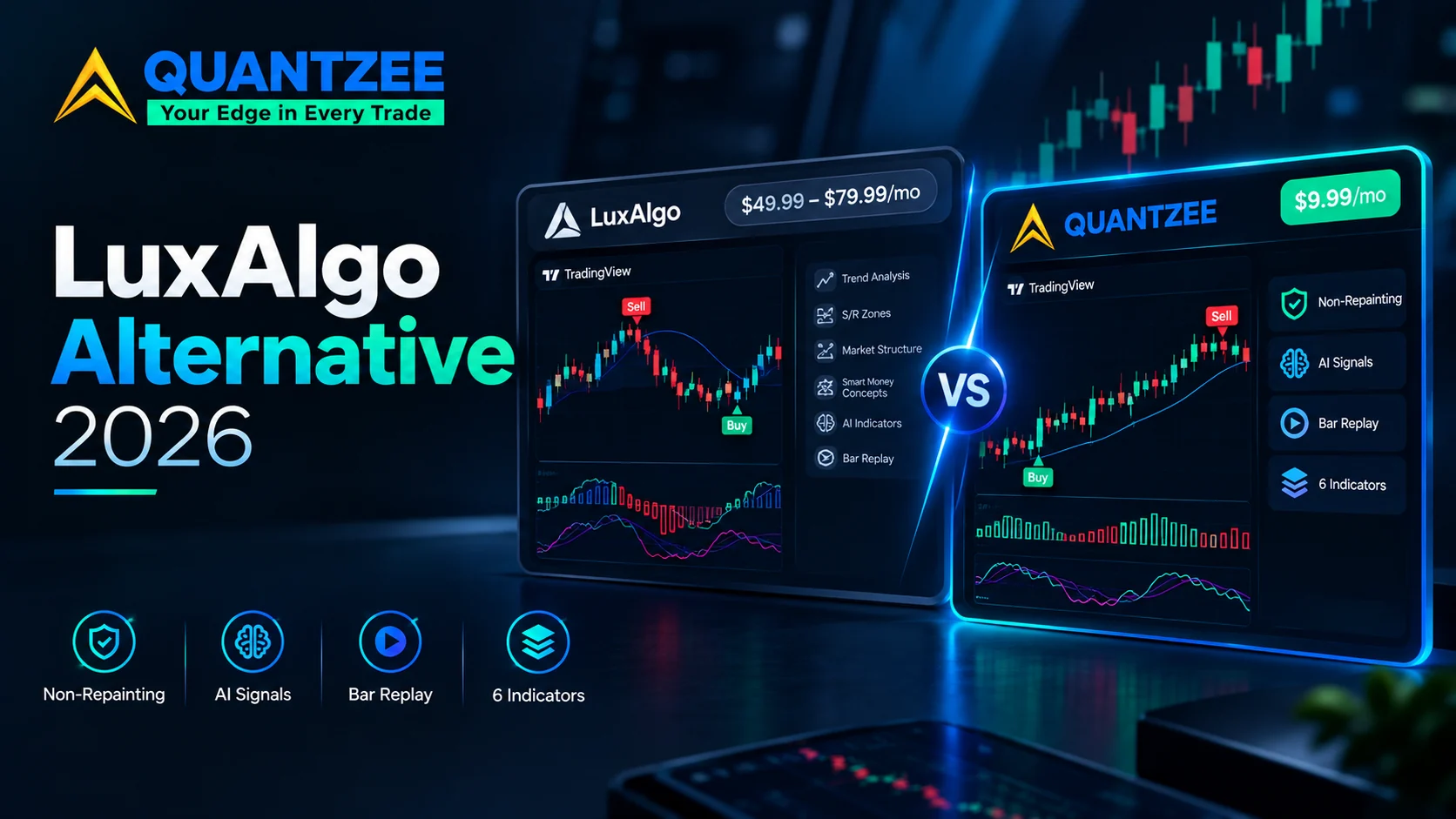
TL;DR: Quantzee is one payment of $59.99 vs LuxAlgo’s $49.99–$79.99 every month, includes 6 non-repainting AI indicators vs LuxAlgo’s 3 core toolkits, and both run on TradingView’s free chart plan. LuxAlgo bills you roughly $600 in year one and another $600 in year two. Quantzee bills you once, emails you the actual Pine Script source, and never charges again. LuxAlgo’s open-bar signal recalculation also means a Buy signal can still flip to Sell before a candle closes — Quantzee’s signals lock on bar close and never move.
There is a repainting problem hiding in the dashboards of thousands of traders.
You add an indicator to your TradingView chart. The historical view looks perfect — buy signals right before upswings, sell signals right before drops. You feel confident. You go live. The signals shift. Entries that looked clear in hindsight now waver in real time, flipping between “Buy” and “Sell” before the candle closes. Your trade is already in. The signal has already changed.
This is repainting. And it is the central issue any serious trader must resolve before committing capital to any indicator suite — including LuxAlgo, which has dominated the premium TradingView indicator space for years.
LuxAlgo is not a scam. It has a large community, strong visual tooling, and a genuine track record. But it has documented repainting behaviour on certain signal types, a pricing structure that has grown significantly more expensive in 2026, and a product philosophy that is primarily tuned to crypto and US equity markets. For traders, forex traders, and multi-market traders on a budget, there are important questions worth asking before subscribing.
This article is a full technical comparison. We document LuxAlgo’s actual algorithm types, current 2026 pricing across all tiers, what real users say (positive and critical), a methodology for testing any indicator for repainting using TradingView’s Bar Replay, and a clear side-by-side against Quantzee as a non-repainting AI alternative. The goal is not to sell you one product — it is to give you the analysis to make the right call for your trading style.
⚡ Key Takeaways
- LuxAlgo costs $49.99–$79.99 every month — about $600/yr on Premium, ~$960/yr on Ultimate. Quantzee's full suite of 6 indicators is one $59.99 payment, which is less than LuxAlgo's Premium plan charges you in a single six-week stretch, and it is the last payment you make
- Quantzee's indicator suite non-repainting architecture is independently testable on TradingView Bar Replay before you pay anything
- LuxAlgo's open-bar signal recalculation means a Buy signal can flip to Sell before a candle closes; Quantzee signals lock on bar close and never move, verifiable via TradingView's Bar Replay
- LuxAlgo offers a 30-day refund and now has a free tier; Quantzee has neither — but at $59.99 once it costs less than two months of LuxAlgo Premium ($49.99/month, ~$34.99/month billed annually) and then stops costing anything
Neither product offers a free trial of its paid signal suite — here’s how to test before you buy anyway. LuxAlgo’s 30-day refund window and Quantzee’s own signals are both verifiable for free using TradingView’s Bar Replay tool before you spend a cent. Skip straight to how to test any indicator for repainting or testing Quantzee before you buy.
Already have LuxAlgo alerts set up? You don’t have to start from scratch. Quantzee’s alert system uses the same TradingView-native, closed-bar-confirmed condition model — open the alarm-clock icon, pick a Quantzee indicator condition (Buy signal, Trend reversal, etc.), and you’re alerting in under 5 minutes, no coding or webhook setup required. See the alert setup guide for the full walkthrough.
Top 4 Alternatives to LuxAlgo in 2026 (Quick Comparison)
If you’re comparing LuxAlgo against the field rather than just against one competitor, here’s where it sits relative to the other tools traders in this category most often shortlist:
| Rank | Tool | Category | Starting Price | Notable Limitation / Fit |
|---|---|---|---|---|
| 🏆 1 | Quantzee | AI signal indicators (TradingView) | $59.99 once — Pine source emailed, no renewal | Non-repainting, verifiable on Bar Replay, covers crypto, stocks, forex & commodities |
| 2 | LuxAlgo | — | $49.99–$79.99/mo | deep SMC/ICT toolkit, reported billing surprises |
| 3 | FluxCharts | Related tool in this category | See full comparison | Different feature/price tradeoff — worth shortlisting alongside LuxAlgo |
| 4 | Synaptix Quant | Related tool in this category | See full comparison | Different feature/price tradeoff — worth shortlisting alongside LuxAlgo |
Quantzee tops this list on price-to-signal-clarity ratio — $59.99 paid once against LuxAlgo’s $49.99–$79.99 every month, with non-repainting logic you can verify yourself before paying. The detailed, feature-by-feature comparison against LuxAlgo specifically follows below.
What is LuxAlgo? Technical Overview
LuxAlgo markets itself as an AI algorithmic trading platform that lives inside TradingView. Rather than offering a single indicator, it is a suite of interconnected toolkits designed to provide signals, overlays, market structure analysis, momentum detection, and now AI-assisted backtesting — all without requiring the user to write a single line of Pine Script.
As of 2026, LuxAlgo’s core platform consists of five primary components. Understanding each one is essential before you can evaluate whether it is the right fit for your methodology.
Signals & Overlays
Signals & Overlays is the flagship toolkit and the most used of LuxAlgo’s products. It is also the highest-rated paid indicator on TradingView, with over 30,000 likes on the platform.
Technically, it generates two primary signal modes:
Confirmation + Exits mode operates on what LuxAlgo describes as a “performance adaptive trend-following methodology.” It produces both normal signals and strong (+) signals. Strong signals align with the current estimated trend direction. Normal signals may result from temporary retracements within a larger trend. Exit signals (blue crosses for bullish exits, orange for bearish) give traders a visual cue for when to close positions at potentially favourable prices.
Contrarian + Exits mode works counter to the current trend, aiming to spot potential tops and bottoms. While potentially less laggy, LuxAlgo’s own documentation acknowledges that contrarian trading “involves higher risk exposure.”
The signal strength classification uses what LuxAlgo calls an “adaptive threshold classifier” — a simple machine learning algorithm that categorises signals into four strength levels. Levels 3 and 4 in Confirmation mode suggest trend continuation. Levels 1 and 2 suggest potential retracements or reversals. The classifier appears to weight signals based on market conditions, giving more emphasis to momentum in trending markets and mean-reversion in ranging conditions. The underlying algorithm is proprietary; LuxAlgo has not published precise mathematical specifications.
Critically important for live trading: LuxAlgo distinguishes between signal generation on closed bars (which they state is locked and non-repainting) versus signal display on the currently open bar (which, by definition, recalculates tick-by-tick). This distinction is technically accurate but is also the source of significant user confusion — more on this in the repainting section below.
Price Action Concepts (PAC)
Price Action Concepts is LuxAlgo’s Smart Money Concepts toolkit. It automates the identification of:
- Break of Structure (BOS): points where price breaks a prior swing high or low, signalling trend continuation
- Change of Character (CHoCH): structural reversal signals, often used to identify early trend shifts
- Order Blocks: areas where institutional buying or selling is hypothesised to have occurred, based on candle sequences preceding strong moves
- Fair Value Gaps (FVG): price imbalances between adjacent candles where price may return to fill
- Liquidity zones: areas above swing highs and below swing lows where stop-losses are likely clustered
PAC is the component most directly rooted in Smart Money Concepts (SMC) and Inner Circle Trader (ICT) methodology, which has grown rapidly in popularity particularly among crypto and forex traders. The analysis is visual and overlay-based — it draws directly on the chart rather than in a separate oscillator panel.
Oscillator Matrix
The Oscillator Matrix is described by LuxAlgo as “an all-in-one indicator that incorporates 6+ unique components designed for interoperability and confluence.” It functions as a standalone momentum and reversal tool designed to complement the Signals & Overlays overlay.
The four primary components are:
- HyperWave — wave analysis for identifying market cycle phases
- Smart Money Flow — tracks capital movement patterns that may indicate institutional positioning
- Reversal Signals — alerts for potential trend reversals within the oscillator framework
- Confluence — a signal alignment layer that fires when multiple Oscillator Matrix components agree
The intent is that no single Oscillator Matrix component should trigger a trade in isolation. The confluence mechanism encourages traders to wait for multiple components to agree before acting — a sound principle that reduces false signals in theory, though the quality of those signals in live conditions depends heavily on market type.
Quant AI Agent
Added in recent platform iterations, Quant is LuxAlgo’s AI agent for Pine Script generation. It accepts natural-language prompts, chart image uploads, and existing code for debugging. It validates outputs against Pine Script v6 standards before delivery.
Quant is essentially a specialised LLM-powered coding assistant specifically trained for TradingView’s scripting language. It does not generate trade signals directly — it generates the code to build custom indicators based on the user’s description. For traders who want fully custom logic without learning Pine Script from scratch, this is a meaningful feature. For traders who want a ready-to-use signal indicator, Quant is not directly relevant.
AI Backtesting Assistant (LUCID — Ultimate Plan Only)
The most recently added and most technically ambitious feature is the AI Backtesting platform, built on what LuxAlgo calls LUCID (LuxAlgo Universal Conditions Identifier).
LUCID unifies trigger signals and filters from all three core toolkits — Signals & Overlays, Price Action Concepts, and Oscillator Matrix — into a single strategy-building interface. Previously, each toolkit operated independently. LUCID allows traders to combine, for example, a momentum trigger from the Oscillator Matrix with a liquidity event signal from PAC, then connect them using logical operators.
The AI Backtesting Assistant searches through what LuxAlgo describes as “tens of millions of strategies across more than 90 assets” — including stocks, ETFs, cryptocurrencies, forex pairs, commodities, and futures. Traders input preferences (trend-following, breakout, momentum), and the system surfaces matching strategies with performance metrics including net profit, drawdown, and equity curves. Once a strategy is selected, it can be replicated to a TradingView-ready Pine Script in one click.
LuxAlgo’s own documentation includes a standard disclaimer: “simulated results do not represent actual trading” and may not account for “lack of liquidity” and other live market factors. This is a critical caveat: backtesting on historical data, even across millions of strategy combinations, does not guarantee live performance. Data-mined strategies from a large database carry significant overfitting risk.
What TradingView plan do you need? LuxAlgo works with TradingView’s free plan for basic features, but multi-ticker screeners require the LuxAlgo Premium plan (available for screener scripts), and the AI Backtesting platform is limited to the Ultimate subscription tier.
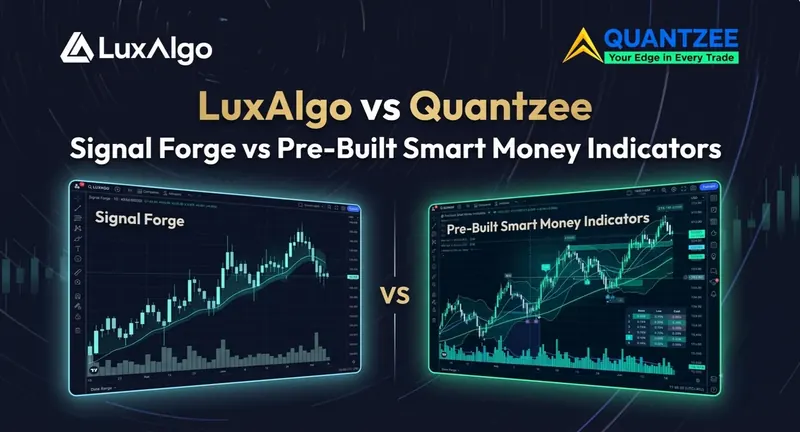
LuxAlgo Signal Forge: The 11-Filter Modular Engine, Explained
LuxAlgo’s Signal Forge is positioned as its most technically configurable product — a modular technical analysis engine built around 11 independent filters (trend, momentum, volatility, and volume-based conditions) that a trader combines to build a custom signal logic without writing Pine Script. The pitch is flexibility: instead of one fixed algorithm, you assemble your own from a filter library.
That flexibility is also Signal Forge’s biggest practical cost. Eleven filters means eleven sets of thresholds, weights, and interactions to understand before the tool produces a signal you can trust. Most retail users never touch more than 2-3 of the available filters, and getting the combination wrong (over-filtering) tends to reduce signal frequency to the point where the tool goes quiet during exactly the moves you wanted to catch.
How Quantzee’s stack compares on the same job:
Quantzee doesn’t ask you to assemble a signal engine from parts. The SMC Toolkit Pro ships as a complete, pre-built Smart Money Concepts overlay — dual-leg BOS/CHoCH market structure detection, automatic order blocks and fair value gaps, equal-high/low liquidity mapping with sweep detection, and premium/discount zones with OTE, all running out of the box with 14 built-in alerts. Where Signal Forge gives you 11 raw filters to configure, SMC Toolkit Pro gives you the structural read already computed.
For traders who want multi-factor confirmation the way Signal Forge’s filter-stacking aims for, Quantzee’s approach is to pair purpose-built indicators rather than stack generic filters: run SuperTrend Pro+ (dual-SuperTrend confluence with an ATR-based Entry/TP/SL ladder and a 5-timeframe trend dashboard) alongside MACD Pro+ (chop-graded MACD with a divergence engine) for trend-plus-momentum confirmation — two purpose-tuned tools instead of one 11-filter engine to configure from scratch.
| LuxAlgo Signal Forge | Quantzee (SMC Toolkit Pro + Pro+ line) | |
|---|---|---|
| Setup model | 11 filters, manually combined | Pre-built, works on add-to-chart |
| Learning curve | High — requires understanding each filter’s interaction | Low — signals and structure ship configured |
| Price | Part of LuxAlgo’s paid tiers ($49.99-$79.99/mo, recurring) | $59.99 once for the full 6-indicator suite, source code included |
| Best for | Traders who want to hand-build custom logic | Traders who want structural/momentum signals ready immediately |
If you want the configurability of a filter-based engine, Signal Forge is a legitimate tool for that job. If you want the same multi-factor read (trend + momentum + structure) without the setup overhead, Quantzee’s SMC Toolkit Pro and Pro+ line are built to be used, not assembled.
For a full standalone breakdown of Signal Forge specifically — all 11 filters explained, exact pricing tiers, user feedback, and a dedicated feature comparison — see our LuxAlgo Signal Forge Review.
LuxAlgo Pricing 2026: Is It Worth the Cost?
LuxAlgo’s pricing structure has changed significantly. In 2026, the platform has moved to a three-tier model that is substantially more expensive than earlier plans.
Current pricing (September 2026):
| Plan | Monthly Price | What’s Included |
|---|---|---|
| Free | $0/mo | Basic charting tools, no credit card required |
| Premium | $49.99/mo (~$34.99/mo billed annually) | Core indicator suite (Signals & Overlays, PAC, Oscillator Matrix) + Quant AI agent |
| Ultimate | $79.99/mo | Everything + AI Backtesting (LUCID) + deep learning optimization + priority support |
Annual billing saves roughly 40-50% off the month-to-month rate, with the biggest saving on Ultimate. All paid plans include a 30-day money-back guarantee.
LuxAlgo now offers a free tier — here’s what it lacks vs Quantzee’s paid suite. The free plan gets you basic charting, but not the Signals & Overlays, Price Action Concepts, or Oscillator Matrix toolkits — those still require Premium or Ultimate. In practical terms, the free tier is a way to try LuxAlgo’s interface and some community scripts, not a substitute for the paid signal suite. Quantzee has no free tier, but every one of its 6 paid indicators is independently verifiable via TradingView’s Bar Replay before you spend anything — a different, but comparably honest, way to test before you buy.
Per-Feature Cost Analysis
Consider a trader who subscribes to LuxAlgo Premium at $49.99/month primarily to use three features: Signals & Overlays (for buy/sell signals), the Oscillator Matrix (for momentum confirmation), and the screeners (for watchlist filtering). That trader is paying approximately $22.66 per feature used per month.
By comparison, Quantzee’s entire suite of 6 indicators is one $59.99 payment — covering AI signals, oscillators, trend tools, CPR-based options indicators, and more. That is about $10 per indicator, once, forever. Even accounting for the quality differential between suites, the cost-per-tool comparison is dramatic — and it gets more dramatic every month you keep trading, because one side of it keeps billing.
For a beginner trader in an emerging market — India, Southeast Asia, Latin America — the $49.99-$79.99/month price point is prohibitive before any trading profit has been generated. A recurring cost of that size requires meaningful live trading returns just to break even on the tool expense, month after month. A single $59.99 payment removes that treadmill entirely: there is no monthly number to beat, because there is no monthly number.
The Cost Trajectory Problem
A critical point that existing LuxAlgo users have raised in review communities: LuxAlgo’s pricing has increased over time, and the removal of lower-cost entry plans (what some reviewers describe as the “essential package” being restructured) has left some users paying significantly more than they expected at renewal. Multiple Trustpilot reviews document unexpected auto-renewal charges of $300-$480 annually. This is not fraud — it reflects standard subscription auto-renewal — but the lack of advance reminders has been a consistent complaint.
If you pay monthly at $49.99 (Premium), you are spending $599.88 per year on LuxAlgo Premium alone, before any TradingView subscription costs. Ultimate at $79.99/month is $959.88 per year. Billing annually brings Premium down to roughly $420/year — still meaningful commitments that should be weighed against verifiable performance evidence.
What Real Users Are Saying About LuxAlgo in 2026
LuxAlgo holds a strong aggregate rating of 4.7 out of 5 on Trustpilot from over 1,293 reviews as of mid-2026, which reflects genuine user satisfaction in the majority. The product is not a scam, and most users who engage with the community tutorials and Discord support have positive experiences. But the minority of critical reviews reveal specific, recurring patterns worth understanding.
Positive Feedback: What LuxAlgo Does Well
Clean visual interface and beginner accessibility. LuxAlgo’s overlays are visually polished — buy and sell signals are colour-coded, trend bands are intuitive, and the dashboard panels provide at-a-glance summaries. For visual learners, this is a meaningful advantage. Multiple positive Trustpilot reviews cite the Discord community specifically: 150,000+ members, responsive official support staff, and an active culture of sharing chart setups.
Responsive customer support. The majority of positive reviews, particularly from active Discord members, praise LuxAlgo’s support team as helpful and responsive. The 30-day money-back guarantee has been honoured in many documented cases.
Signal accuracy in trending markets. Positive user accounts cluster around trending market conditions — particularly in crypto bull runs. One review cited on the AI Trading Camp platform notes: “Signal accuracy has been consistently above 70% in trending markets.” This is a pattern consistent with trend-following algorithms generally: they outperform in strong directional environments and struggle in ranging, choppy, or mean-reverting conditions.
Quant AI for Pine Script. The Quant AI agent has received strong reviews from traders who want to build custom scripts without becoming Pine Script experts. Multiple users note that it significantly lowers the barrier to custom indicator development.
Negative Feedback: Where Users Report Problems
Repainting and signal reliability in live conditions. This is the most frequently cited technical complaint. Community discussions on r/TradingView document users reporting that “in real time, [LuxAlgo signals] sometimes change between ‘Buy’ and ‘Sell’ multiple times” before a bar closes. A Reddit thread on r/TradingView discussing LuxAlgo Premium experiences includes the observation that no indicator “prints money,” with users comparing LuxAlgo’s live performance (described as approximately a 50/50 win rate) to free alternatives like LazyBear’s Impulse MACD, which some users found more consistent at roughly 60/40 (via lunefi.com aggregator citing r/TradingView).
Billing and auto-renewal surprises. Multiple Trustpilot reviewers document unexpected charges of $300-$480 on annual auto-renewal. The complaint pattern is consistent: users believed they had cancelled but found renewal charges on their statements. LuxAlgo’s cancellation is self-service through the account portal, but the advance notification before renewal has been insufficient for some users.
Platform lock-in. LuxAlgo is TradingView-exclusive for its primary indicators (the Quant and AI Backtesting tools are web-based, but the chart indicators require TradingView). Users on MetaTrader 4, MetaTrader 5, or other charting platforms cannot access LuxAlgo’s indicator suite. Multiple reviews flag this as a limiting factor for professional traders who use multiple platforms.
Indicator library complexity. With multiple toolkits, dozens of sub-components, and the LUCID strategy builder added in 2026, new users report a significant learning curve. The breadth of tools can produce paralysis — it is not always clear which combination of toolkit features applies to a specific trading scenario.
The Repainting Problem: How to Test LuxAlgo with Bar Replay
Repainting is one of the most important concepts in indicator evaluation — and one of the most misunderstood.
What Repainting Actually Is
A repainting indicator changes its historical output over time. Specifically: the signal displayed on a completed, closed bar can change after the bar closes, as new price data arrives on subsequent bars. This makes the indicator’s historical chart look far more accurate than it ever was in real time. You see a perfect buy signal at the exact bottom of the move — but that signal only appeared there after subsequent price action confirmed it.
It is important to distinguish repainting from normal recalculation. Every indicator recalculates continuously on the current open bar. A 20-period moving average updates as each tick arrives. An RSI value shifts as the current candle’s close changes. This is expected and normal — it is not repainting. Repainting, technically, refers to values on already-closed bars changing. Once a bar closes, its values should be locked. If they are not, the indicator repaints.
According to TradingView’s own documentation, repainting in indicators can arise from multiple causes: using the security() function to reference higher-timeframe data without close-confirmation, Heikin-Ashi candle-based calculations that smooth historical values, and recursive calculations whose starting point affects all subsequent values (TradersPost.io).
LuxAlgo’s Official Position on Repainting
LuxAlgo has directly addressed the repainting question in a published TradingView chart post. Their official position makes a crucial technical distinction:
Signals confirmed on closed bars are fixed and do not repaint — this is LuxAlgo’s stated policy. However, signals displayed on the current open bar (the candle still being formed) necessarily reflect real-time recalculation and will change tick-by-tick until that bar closes. LuxAlgo categorises non-causal repainting (using future data) as genuinely problematic, but argues that real-time bar recalculation is a normal and expected behaviour, not a defect (LuxAlgo, TradingView).
This is technically defensible — but it does not fully address the user experience that generates repainting complaints.
Why the Live-Bar Problem Still Matters
The distinction LuxAlgo draws is accurate at the code level. The problem arises at the trader-behaviour level.
Most retail traders make decisions on the most recent bar — the one currently being formed. When a Signals & Overlays buy signal appears on bar N while bar N is still open, and that signal disappears or flips to a sell signal before bar N closes, the trader who acted on the initial signal has already entered a position. The signal is “technically correct” in that it confirmed on a different interpretation — but the trader’s entry was based on data that was subsequently invalidated.
Community discussions on r/TradingView, aggregated by multiple third-party review sources, document this exact pattern: “every single indicator I tried repainted. In real time, sometimes it changes between ‘Buy’ and ‘Sell’ multiple times.” An independent review on CoinCodeCap acknowledges: “Some user feedback raises concerns about indicator repainting on certain signal types” and recommends using “confirmed bar conditions for live trading decisions.”
The gap between LuxAlgo’s technical non-repainting claim (signals lock on bar close) and the user repainting experience (signals flip before bar close) is real. And for traders who want unambiguous signals that are clear and stable from the moment they appear, this gap matters.
How to Test Any Indicator for Repainting Using Bar Replay
TradingView’s Bar Replay feature is the most reliable method for detecting repainting behaviour in any indicator. Here is the step-by-step methodology:
Step 1: Open the chart and load the indicator. Select the asset and timeframe you regularly trade (BTC/USDT 1H is a common test case). Apply the indicator you want to test.
Step 2: Activate Bar Replay. Click the clock icon on the TradingView toolbar (Bar Replay) and select a start date at least 30-60 bars back from the current date. This rewinds the chart to that historical point.
Step 3: Document signals as they appear. Using screenshots or notes, record every buy/sell signal that appears as you advance bar by bar. Note specifically: which bar number the signal appears on, and what direction it indicates. Focus on the signal on the most recent visible bar (the “current” bar in the replay).
Step 4: Continue advancing and note changes. As you advance to the next bar, watch whether the signal on the previous bar — now a closed, confirmed bar — changes its position, direction, or disappears entirely. This is the critical observation window.
Step 5: Exit replay and compare. Exit Bar Replay and compare the signals now visible on the historical chart against your documented screenshot record. Any signal that moved, shifted candles, changed direction, or vanished has repainted.
What “subtle repainting” looks like: It is not always a signal flipping from Buy to Sell. Sometimes a signal that appeared on bar N shifts to bar N-2 (a better-looking entry in hindsight). Sometimes a signal disappears entirely from the closed-bar history. Both of these are forms of repainting.
The alert log test (alternative method): Create a simple TradingView alert with the indicator as its condition. Monitor the alert log for trigger timestamps. Compare those timestamps against the signals currently visible on the chart. Discrepancies — alerts that triggered but show no corresponding signal on the chart — confirm repainting.
The Bar Replay test is repeatable, free, and available to any TradingView user. We strongly recommend running this test on any premium indicator before committing to a paid subscription.
Meet Quantzee: The Non-Repainting AI Alternative
Quantzee was built from a different starting assumption than LuxAlgo: that the most important property an indicator can have is reliability — specifically, that a signal which appears on a bar stays there, unchanged, regardless of what happens next.
This is the non-repainting guarantee that sits at the foundation of Quantzee’s entire product suite. It is not a marketing claim bolted on after the fact. It is a design constraint that shaped every indicator from the ground up.
The practical consequence: when Quantzee’s SuperTrend Pro+ shows a buy signal on the 15-minute candle that closed at 10:45 AM, that signal is on the closed bar and will not change. You do not need to wait and watch. You do not need to second-guess whether the signal will flip. It is there because the bar closed with those conditions met, and it will remain there permanently.
Quantzee’s AI Approach
Quantzee’s AI is not a natural-language Pine Script generator (like LuxAlgo’s Quant agent). It is a set of adaptive machine learning algorithms embedded directly in the indicators themselves. The key technologies documented across the product suite include:
- K-Means clustering in the AI Adaptive Quant Toolkit for regime detection — classifying whether the market is trending, ranging, or transitioning, and adjusting signal sensitivity accordingly
- Ehlers SuperSmoother filters applied to reduce noise in oscillator calculations without introducing lookahead bias
- Dual-SuperTrend confluence in SuperTrend Pro+ — requiring two independently computed SuperTrend signals (with different ATR multipliers) to agree before generating an entry signal. This significantly reduces false signals in choppy markets
- Regime-adaptive ATR computation — the ATR (Average True Range) multiplier is not static but adjusts based on recent volatility conditions. In high-volatility environments, the system widens its bands to avoid whipsaws; in low-volatility environments, it tightens them to capture smaller moves
- Automatic divergence detection in MACD Pro+ and the Adaptive AI Oscillation Engine — identifying bullish and hidden bullish divergences algorithmically, without manual comparison of price and momentum swings
The result is a suite that adapts to market conditions rather than requiring the trader to manually change settings between regimes. LuxAlgo’s indicators are generally manually configured — you choose Confirmation vs. Contrarian mode, set the sensitivity, and manage regime detection yourself.
The Quantzee Indicator Suite (6 Indicators, $59.99 Once)
All 6 indicators come with the single $59.99 purchase — no tiers, nothing held back, and the Pine Script source for each one emailed to you after payment. The Quantzee suite’s architecture is independently verifiable before paying anything:
AI Core Indicators:
- AI Adaptive Quant Toolkit — self-tuning buy/sell signals with multi-timeframe regime awareness and non-repainting overlays
- Adaptive AI Oscillation Engine — self-adjusting oscillator for overbought/oversold zone identification
- AI TrendPulse — early trend detection with false breakout filtering
Pro+ Indicators:
- SuperTrend Pro+ — dual-SuperTrend confluence system with ATR-based trade ladder; the core non-repainting trend signal for equities, forex, and commodities
- Smart Money Concepts (SMC) Toolkit Pro — BOS/CHoCH structure detection with order blocks and FVG mapping
- MACD Pro+ — adaptive chop-zone filtered signal grading (Strong/Weak)
Every indicator in this suite carries the same non-repainting design constraint, verifiable via TradingView’s Bar Replay before committing.
You get the source, not an invite — Quantzee emails you the Pine Script for all 6 indicators. You paste each one into TradingView’s Pine Editor, save it, and it lives in your own account under My scripts. No separate platform, no separate login, nothing anyone can revoke later. Works with TradingView’s free plan.
Testing Quantzee Before You Buy
Unlike Quantzee, LuxAlgo now has a free tier, plus paid tiers at $49.99/month (Premium, ~$34.99/mo billed annually) and $79.99/month (Ultimate) for the toolkits that include all core signal features. Quantzee has no free tier and no refund — the code is emailed to you immediately, so there is nothing to give back. That makes testing before you buy more important here, not less, so here is the honest path.
The Honest Value Comparison
If you’re evaluating LuxAlgo alongside Quantzee:
- LuxAlgo’s free tier and free community scripts (not the core paid suite) let you sample the brand for free; Quantzee has no free tier, but any of its 6 indicators can be verified via Bar Replay before you pay
- For the full suite: LuxAlgo at $49.99–$79.99/month, indefinitely, vs Quantzee at $59.99 once — Quantzee costs less in total than LuxAlgo’s second month on Premium, so for most retail traders who don’t need LuxAlgo’s AI strategy-building tools it is the better-value paid alternative by a margin that is not really arguable
Verifying any single Quantzee indicator is the best starting point. If you like what you see, the full suite — all 6 indicators, source code included — is one $59.99 payment whenever you’re ready.
LuxAlgo vs Quantzee: Side-by-Side Comparison
The annual number makes the gap harder to ignore than the monthly one, and the three-year number settles it. Pay LuxAlgo Premium monthly and you spend ≈$600 in year one ($49.99 × 12), ≈$1,200 by year two, ≈$1,800 by year three. Buy Quantzee and you spend $59.99, once — your three-year cost is still $59.99. Even LuxAlgo’s discounted annual billing (~$420/year) is seven times Quantzee’s total cost in year one alone, and then it bills again.
| Feature | LuxAlgo Premium ($49.99/mo) | LuxAlgo Ultimate ($79.99/mo) | Quantzee ($59.99 once) |
|---|---|---|---|
| Repainting policy | Closed-bar signals non-repaint; open-bar signals recalculate | Same | Non-repainting by design (all signals on closed bars only) |
| Algorithm type | Adaptive threshold classifier (proprietary), SMC/ICT patterns | Same + LUCID/AI Backtesting | K-Means clustering, dual-SuperTrend confluence, Ehlers filters |
| Number of indicators | 3 core toolkits + screeners + Quant | Everything + AI Backtesting | 6 indicators |
| AI Backtesting | Not included | Yes (LUCID, millions of strategies) | No dedicated backtesting engine |
| Pine Script generation | Yes (Quant AI agent) | Yes | No |
| Market support | US equities, crypto, forex, commodities | Same | All TradingView markets (global exchanges, crypto, forex, commodities, futures) |
| Dedicated index tools | None | No | Yes — full weekly-expiry index support |
| TradingView plan required | Free (basic), paid for screeners | Free for indicators, web for AI | Free plan sufficient |
| Community | 150,000+ Discord members | Same | Active TradingView community |
| Platform | TradingView only (indicators) | TradingView + web (AI tools) | TradingView (all platforms TradingView supports) |
| Annual cost | ~$600/year (monthly billing), ~$420/year billed annually | ~$960/year (monthly billing) | $59.99 in year one. $0 in year two, and every year after |
Detailed Comparison by Dimension
Algorithm Philosophy. LuxAlgo’s core indicators use an adaptive trend-following framework with a machine-learning classifier for signal strength grading. The classifier is built on proprietary logic LuxAlgo has not publicly documented in detail. Quantzee uses documented AI techniques (K-Means, dual-confluence, adaptive ATR) that are described in product documentation. Neither company has published academic whitepapers on their precise methodology — this is standard across the indicator industry.
Repainting Architecture. This is the most important technical difference. LuxAlgo’s signals on the current open bar recalculate until that bar closes — this is by design and not unusual, but it creates signal instability for traders watching live. Quantzee’s design enforces closed-bar computation only: no signal appears until the bar that triggers it has closed. The trade-off is that Quantzee signals are slightly lagging (appearing one bar after the trigger bar), but they are stable from the moment they appear.
Pricing Value. At $49.99-$79.99/month, LuxAlgo is pricing itself as a professional-grade platform. The AI Backtesting and Quant features justify premium pricing for specific use cases (strategy researchers, Pine Script developers, institutions running systematic testing). For the majority of retail traders who primarily want reliable buy/sell signals on charts, the feature set beyond the core indicators may not be used, making the cost-per-used-feature ratio poor — and you pay for it again every month. Quantzee’s one-off $59.99 is designed for traders who want the signals, want to own them, and want nothing else.
Market Focus. LuxAlgo’s toolkits are calibrated for the markets with the most user testing: primarily crypto, US equity, and forex. PAC’s Smart Money Concepts logic is most commonly demonstrated on BTC, ETH, and major forex pairs. index traders (major indices, SENSEX) will find that LuxAlgo’s indicators work technically on your exchange charts but lack country-specific calibration.
Is there a free LuxAlgo alternative?
LuxAlgo does now offer a free tier — but it covers basic charting only, not the paid Signals & Overlays, Price Action Concepts, or Oscillator Matrix toolkits, which still require Premium ($49.99/month, ~$34.99/mo billed annually) or Ultimate ($79.99/month). If you’re comparing “LuxAlgo free alternative” options for the actual signal suite, the honest answer is that Quantzee isn’t free either: it’s one payment of $59.99, with the Pine Script source emailed to you, and no second payment ever.
What you can do for free is trial the concept before paying anything: TradingView’s own free plan lets you load Quantzee’s demo/preview chart layout and see the indicator’s live signals on a delayed or limited feed before you buy. Always paper trade first — whether you’re testing LuxAlgo, Quantzee, or any signal tool, run it on paper for at least a few sessions before risking real capital. No indicator, free or paid, replaces that step.
LuxAlgo pricing 2026 (updated)
| Plan | Monthly | Annual (billed yearly) | Notes |
|---|---|---|---|
| LuxAlgo Free | $0/mo | — | Basic charting only, no Signals/PAC/Oscillator Matrix |
| LuxAlgo Premium | $49.99/mo | Core toolkit, community access | |
| LuxAlgo Ultimate | $79.99/mo | ~$672/yr (est., ~40-50% off monthly) | Adds AI backtesting, full indicator set |
| Quantzee | $59.99 once | no renewal, no expiry | All 6 indicators, Pine source emailed |
LuxAlgo lowered its Premium price and added a genuine free tier in 2026 compared to earlier pricing, while Ultimate remains the most expensive tier. Quantzee does not really compete on monthly rate, because it does not have one: $59.99 once is less than LuxAlgo Premium charges in two months and less than Ultimate charges in one. Past that point the comparison stops being a percentage and becomes a subtraction — LuxAlgo keeps billing and Quantzee does not.
Bar Replay Results: Repainting Behaviour Compared
We cannot run a live Bar Replay test and report outcomes in real time in this article. What we can do — and what we believe is more useful than a single-session screenshot — is document the community-established evidence and the mechanical design difference that explains it.
The documented LuxAlgo repainting pattern
The pattern documented consistently across community discussions follows a specific shape: during live bar formation (the candle still open), a Signals & Overlays signal appears — typically a buy or sell arrow. As the bar continues to form, the signal may shift direction or disappear entirely before the bar closes. After the bar closes, the final state of the signal is locked.
LuxAlgo’s own documentation on repainting (TradingView published post) explicitly acknowledges this open-bar recalculation behaviour and frames it as expected. The CoinCodeCap review of LuxAlgo also confirms: “Some user feedback raises concerns about indicator repainting on certain signal types.”
When you run Bar Replay on LuxAlgo Signals & Overlays, you are primarily testing the closed-bar signal stability — which LuxAlgo states is non-repainting. The live-trading issue is what happens before bar close.
How Quantzee’s design eliminates this class of problem
Quantzee’s SuperTrend Pro+ — and all indicators in the suite — are built on a closed-bar-only computation model. A signal does not appear on a bar during the bar’s formation. The signal appears on the next bar, after the trigger bar has closed and its values are locked. In Bar Replay, this means: a signal that appears in the replay record will appear in the exact same position on the live chart after replay exits. No signal appears that disappears on the next candle. No arrow changes direction.
This is not a subjective claim — it is a verifiable design constraint. When you run Bar Replay on SuperTrend Pro+ (BTC/USDT 1H or the index 15M), advance bar by bar, and document signals as they appear: those signals will be in the same location when you exit replay and view the completed historical chart.
The trade-off, stated honestly: closed-bar computation means every Quantzee signal is one bar later than a live-bar indicator that happened to be correct. For very short timeframes (1-minute scalping), this lag matters. For 15-minute, 1-hour, and daily charts used by most swing and positional traders, the one-bar delay is negligible — and the signal reliability gain is significant.
Decision Matrix: Which Indicator Is Right for You?
Not every trader should choose Quantzee over LuxAlgo. The honest answer depends on your trading context.
| Trader Type | Best Choice | Reason |
|---|---|---|
| Crypto-only trader (BTC/ETH) | LuxAlgo (slight edge) | Largest crypto-tuned community, PAC/SMC methodology is crypto-native, 150K+ Discord users sharing setups |
| Forex multi-pair trader | Quantzee | Non-repainting signals across all forex pairs, regime-adaptive ATR handles varying pip spreads, cleaner closed-bar signal delivery |
| global major global indices options trader | Quantzee | Full major global indices support; LuxAlgo has no equivalent country-specific tool |
| Beginner on tight budget | Quantzee | $59.99 once vs $49.99-$79.99 every month; simpler signal framework to learn on, and no monthly cost to cover while you learn |
| Pro trader wanting custom Pine Script | LuxAlgo (Ultimate) | Quant AI agent for natural-language Pine Script generation; no equivalent in Quantzee |
| Strategy researcher / systematic trader | LuxAlgo (Ultimate) | AI Backtesting (LUCID) across 90+ assets, millions of strategies; no equivalent in Quantzee |
| Swing/positional trader (multi-market) | Quantzee | Stable closed-bar signals for overnight and multi-day positions; works on all TradingView markets without market-specific calibration |
| Prop firm trader needing clean signals | Quantzee | Non-repainting design is directly relevant for funded trader evaluation (no hindsight signals inflating win rates in review) |
| Trader using MetaTrader / NinjaTrader | Neither (LuxAlgo is TradingView-only) | Both require TradingView; if you need MT4/MT5 native indicators, look at platform-specific solutions |
| Experienced technical analyst (visual) | LuxAlgo | Richer visual overlay suite; PAC’s BOS/CHoCH drawing tools are unmatched for SMC methodology |
Specific Scenarios
LuxAlgo has no equivalent.
“I want to build a custom strategy and backtest it without coding.” LuxAlgo Ultimate’s LUCID + AI Backtesting is purpose-built for this. Quantzee does not offer an automated strategy builder.
“I am new to technical analysis and want simple signals on my chart.” Quantzee is the better starting point — simpler signal framework, lower cost, and the non-repainting design means you won’t second-guess whether the signal you see is real.
“I trade BTC on a 4H chart in a bull market.” LuxAlgo has strong community-developed setups for this exact use case, and the Signals & Overlays toolkit performs well in strongly trending markets. In this scenario, LuxAlgo’s advantages are real.
“I need signals across forex, global equities, and crypto in one suite.” Quantzee handles this in one $59.99 purchase without market-specific tuning adjustments.
Conclusion
LuxAlgo is a legitimate, well-resourced trading indicator platform with a genuinely large and active community. Its visual overlay suite is polished. Its Price Action Concepts toolkit is the most feature-rich automated SMC implementation on TradingView. For the right trader — particularly crypto-focused traders running complex Smart Money analysis, or professionals who need AI-assisted Pine Script generation and strategy backtesting — LuxAlgo’s Ultimate tier justifies the price.
But it has three specific weaknesses that matter for a large portion of traders:
The repainting issue is real, even if technically limited to open-bar signal recalculation. For traders who need to make decisions on the current developing bar, signal stability matters — and LuxAlgo’s documented behaviour creates a meaningful risk of acting on signals that subsequently change.
The price is significant. At $49.99-$79.99/month, LuxAlgo is a professional-tier expense. For most retail traders — and virtually all traders in emerging markets — this cost is difficult to justify before consistent live profitability is established.
The market focus leaves gaps. LuxAlgo is optimised for the markets where most of its users trade: crypto, US equities, forex. Traders focused on index options, major indices, or CPR-based strategies will find no country-specific tools in LuxAlgo’s suite.
It does not replace LuxAlgo for strategy researchers or Pine Script developers. But for traders who want stable, reliable AI signals across multiple markets at an accessible price point, it is the better fit.
The decision comes down to this: what is the primary problem you are trying to solve? If it is signal reliability and cost efficiency, Quantzee. If it is automated strategy discovery and custom Pine Script, LuxAlgo Ultimate.
This content is educational and informational only. Quantzee indicators are analytical software tools — not investment advice. Trading always involves risk of capital loss. Past performance of any indicator or strategy does not guarantee future results. Do your own research.
Explore Quantzee Indicators
Full AI suite, $59.99 once:
- AI Adaptive Quant Toolkit — self-tuning signals, overlays & dashboard — no repainting
- SuperTrend Pro+ — dual-SuperTrend confluence, ATR entry/TP/SL ladder — no repainting
- MACD Pro+ — adaptive chop-zone grading + divergence engine
View all indicators · See pricing
Related Articles
- LuxAlgo Signal Forge Review
- Market Cipher Review
- FluxCharts Alternative
- Synaptix Quant Alternative
- AI Signals Alternative — comparing Quantzee against generic external AI-signal services, not just LuxAlgo
- EzAlgo Alternative — another AI-branded signal overlay worth cross-checking against LuxAlgo