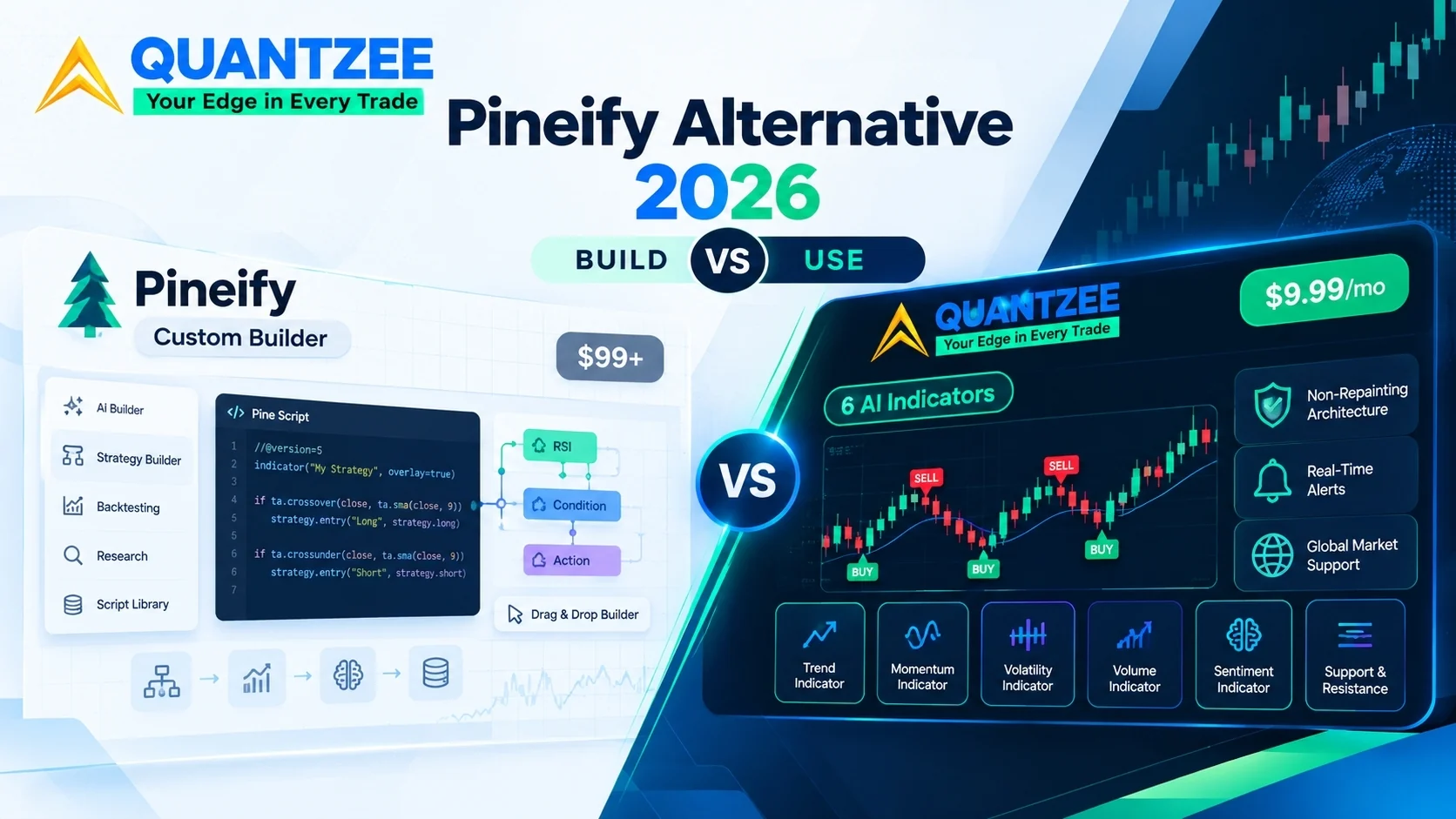
Quantzee is not a Pineify alternative in the literal sense — it’s a pre-built signal suite for traders who don’t want to write code. If you need AI-generated Pine Script, see LuxAlgo’s Quant tool or RoboQuant instead. Pineify is a Pine Script code-generation tool — you describe a strategy or indicator in plain English and Pineify writes the Pine Script for you. Quantzee is the opposite approach: 6 ready-made, non-repainting AI signal indicators with no coding step at all. If you want to build custom scripts, Pineify’s your tool (or one of the alternatives below). If you want signals that already exist and just need configuring, Quantzee skips the build step entirely. Here’s the full breakdown.
🔀 Looking for an actual Pine Script generator instead?
If your goal is to describe a strategy and get working Pine Script code — not read ready-made signals off a chart — Pineify isn't your only option, and Quantzee isn't in this category at all. Two legitimate, purpose-built alternatives worth checking:
- LuxAlgo's Quant tool — upload a chart screenshot of a setup you want replicated and it writes the Pine Script; see the full breakdown on our LuxAlgo Alternative page.
- RoboQuant — an AI trading IDE that generates Pine Script (and Python/MQL) from a plain-English strategy description, with a TradingView Bridge Extension that validates the code against TradingView's real compiler.
If neither of those fits and you just want pre-built signals with nothing to write or debug, keep reading — that's what Quantzee is built for.
Here is the category problem most search results miss: the traders searching “Pineify alternative” in 2026 are often not looking for the same thing. Some want to build custom indicators with their own logic. Others want a ready-made analytical suite they can drop onto any chart and start using. Pineify serves the first group exceptionally well. Quantzee serves the second group. These are not competing versions of the same product — they are built around fundamentally different trading problems.
This article does not declare a winner. It explains what each product actually does, who gets the most value from each, and — most importantly — gives you a structured decision tree to work out which one fits your specific situation.
⚡ Key Takeaways
- Both are now one-time purchases, which makes this a clean comparison: Pineify Plus is $99 once, Quantzee is $59.99 once. Quantzee is about $39 cheaper and gives you 6 finished indicators; Pineify gives you a tool for building your own.
- The Quantzee suite's non-repainting architecture is verifiable on your own charts.
- Pineify is for traders who want to BUILD custom indicators using AI code generation or a no-code visual builder; Quantzee is for traders who want to USE pre-built AI indicators immediately with no configuration.
- Non-repainting signals are architecturally enforced across all 6 Quantzee indicators — signals lock on bar close and never shift retroactively.
- Quantzee natively supports global markets (major global indices) — Pineify provides generic Pine Script tools with no country-specific optimisation.
Top 4 Alternatives to Pineify in 2026 (Quick Comparison)
If you’re comparing Pineify against the field rather than just against one competitor, here’s where it sits relative to the other tools traders in this category most often shortlist:
| Rank | Tool | Category | Starting Price | Notable Limitation / Fit |
|---|---|---|---|---|
| 🏆 1 | Quantzee | AI signal indicators (TradingView) | $59.99 once — Pine source emailed, no renewal | Non-repainting, verifiable on Bar Replay, covers crypto, stocks, forex & commodities |
| 2 | Pineify | — | $99–$259 one-time (lifetime tiers) | Pine Script code generator, not finished signals |
| 3 | LuxAlgo | Related tool in this category | See full comparison | Different feature/price tradeoff — worth shortlisting alongside Pineify |
| 4 | FluxCharts | Related tool in this category | See full comparison | Different feature/price tradeoff — worth shortlisting alongside Pineify |
Quantzee tops this list on price-to-signal-clarity ratio — $59.99 once against Pineify’s $99–$259 one-time (lifetime tiers), with non-repainting logic you can verify yourself before paying. The detailed, feature-by-feature comparison against Pineify specifically follows below.
Table of Contents
- Top 4 Alternatives to Pineify in 2026 (Quick Comparison)
- What is Pineify?
- What is Quantzee?
- Two Different Problems: Building vs. Using
- The Decision Tree: Which Tool Fits Your Situation?
- Pineify Deep Dive: Who Gets the Most Value?
- Quantzee Deep Dive: The Pre-Built AI Approach
- Disclaimer
- Pineify vs Quantzee: Feature Comparison
- Who Should Use Which?
- Conclusion
- FAQs
What is Pineify?
Pineify (pineify.app) is a multi-tool AI trading platform built around TradingView’s Pine Script ecosystem. It is commonly described as a LuxAlgo alternative, but that framing undersells what the platform actually does.
Pineify has four distinct components:
1. AI Pine Script Code Generator You describe the indicator or strategy logic you want in plain English. Pineify’s AI writes the Pine Script code for you. This is not a script library lookup — it generates fresh code from your description, which you can then modify, test, and publish to TradingView. For traders with specific logical requirements who do not want to learn Pine Script syntax from scratch, this is genuinely useful.
2. No-Code Visual Strategy Builder For traders who do not want to touch code at all, Pineify offers a drag-and-drop interface built around 235+ technical indicators. You configure entry and exit logic visually — selecting indicators, setting conditions, defining position sizing — without writing a single line. The builder then compiles your visual design into Pine Script automatically.
3. Trading Analysis Tools Pineify includes a suite of research tools: an AI stock picker, a finance research agent, a market insights dashboard, and a backtesting analyser. These tools support the strategy development workflow — helping you research instruments, test ideas, and assess performance before deploying.
4. Curated Premium Script Library Pineify also maintains a collection of pre-built Pine Script indicators and strategies with full source code access. Unlike many indicator vendors who protect their code, Pineify’s library is accessible and modifiable, which appeals to technically skilled traders who want to study and extend existing logic.
Pineify Pricing (2026)
Pineify operates on a one-time payment model — not a monthly subscription:
| Plan | Original Price | Current Price |
|---|---|---|
| Plus | $129 | $99 |
| Advanced | $219 | $149 |
| Expert | $369 | $259 |
This is an important distinction. You pay once and own access. Pineify has indicated it is transitioning toward annual subscriptions, so the current one-time pricing is time-limited. At $99 for the entry tier, the value proposition for a committed strategy developer is clear — the upfront cost is lower than most annual subscriptions for comparable tools.
What is Quantzee?
Quantzee is a pre-built AI indicator suite for TradingView. Instead of giving you tools to build your own indicators, Quantzee provides a collection of 6 AI-powered indicators built by the team, ready to deploy on any TradingView chart with no configuration, no code, and no Pine Script knowledge required.
The 6 indicators cover the core needs of analytical trading: trend identification, support and resistance, momentum, volatility, and multi-timeframe confirmation. They are designed to work together as a system, not as isolated scripts — the output of one indicator is contextually relevant to the next.
Key characteristics:
- Non-repainting architecture by design. Signals generated on your chart remain fixed. They do not move or disappear after a candle closes. This is architecturally enforced, not just a policy claim — and it is critical for backtesting accuracy and real-time trade management.
- global market support. Quantzee is built with global indices in mind. major global indices, and options structures are natively supported, which is rare in international indicator platforms that treat global markets as an afterthought.
- Works on any TradingView plan. The indicators integrate directly with TradingView, including free accounts.
- Real-time alerts. all 6 indicators include configurable alert functionality so you can receive signal notifications without watching the chart.
- Pricing: $59.99, paid once — and the Pine Script source for all 6 indicators is emailed to you, so you keep the code.
Test Before You Buy
Before committing to the paid suite, add any indicator to a TradingView chart. It shares the same non-repainting architecture as the full suite. This lets you verify how the indicators behave on your specific instruments and timeframes before spending anything.
Two Different Problems: Building vs. Using
The confusion in most comparison articles comes from treating Pineify and Quantzee as rivals in the same category. They are not. They solve different problems.
The building problem: You have a trading idea — a specific entry condition, a custom exit rule, or a logic combination that does not exist in any pre-built tool. You want to test it, refine it, and eventually deploy it. To do this, you need a tool that lets you express your own logic. That is the problem Pineify solves. The AI code generator and the no-code visual builder are both engines for translating your idea into working Pine Script.
The using problem: You do not have a fixed idea you want to express in code. You are looking for analytical tools that surface opportunities in the market — signals, trend reads, support/resistance levels — that your own eye might miss. You want something that works, is well-designed, and does not require you to become a Pine Script developer to use. That is the problem Quantzee solves.
These two problems are not ranked. Neither is inherently more sophisticated than the other. A professional options trader with a refined edge might use Pineify to build a highly specific execution filter. A full-time intraday trader on the index might use Quantzee’s 6-indicator suite as the foundation of their market reads. Both are legitimate workflows.
When does custom logic genuinely matter?
Custom indicators pay off when you have a specific hypothesis about market structure that no existing tool captures. Examples: a proprietary volatility regime filter, a combination entry that blends two indicators in an unusual way, or a strategy built around an instrument-specific quirk. If your edge comes from a unique analytical lens, Pineify lets you encode that lens precisely.
When do pre-built AI indicators beat custom?
Pre-built indicators win when you need analytical quality without development overhead. If you do not have a defined custom edge but want rigorous, well-engineered analytical signals across multiple dimensions (trend, momentum, levels, volume context), a pre-built suite delivers that immediately. You also benefit from the aggregate testing and refinement that the tool’s developers have done across many instruments and conditions — work you would otherwise have to do yourself.
The Decision Tree: Which Tool Fits Your Situation?
Work through each question in order. Stop at the first answer that clearly matches your situation.
Do you need to build something with custom logic?
Yes, I have specific entry/exit logic I want to test that does not exist pre-built. → Pineify. Use the AI code generator if you want to describe your logic in English and get working Pine Script. Use the no-code visual builder if you prefer configuring conditions without code. Either path gets your specific idea into TradingView.
No, I want analytical tools built by someone else that I can apply to my charts. → Quantzee. You get 6 indicators with no configuration burden. Add any indicator to verify fit.
Do you already trade a defined method with a specific edge?
Yes, I have a method and want custom tooling to express it precisely. → Pineify. Your existing method is a specification. The AI code generator or visual builder turns it into deployable Pine Script. The premium library also lets you study related indicators and extend them.
No, I am looking for analytical tools to improve my market reads and surface better entries. → Quantzee. The 6-indicator suite provides AI-driven analytical signals across trend, momentum, support/resistance, and volatility. You do not need to arrive with a pre-formed method — the indicators support your analysis process.
How technical are you?
Comfortable with strategy logic, backtesting, and some configuration. → Either product can work. Use Pineify if you want to build and test your own logic; use Quantzee if you want pre-built indicators with backtesting accuracy you can verify via TradingView’s Bar Replay.
Want plug-and-play — add to chart, read signal, done. → Quantzee. The 6 indicators require no configuration beyond selecting them. Signals are immediate.
Is non-repainting a hard requirement?
Yes — I rely on signals for real-time decisions and I cannot have them shift after the fact. → Quantzee. Non-repainting is architecturally enforced across all 6 indicators. Verify using TradingView Bar Replay before trading live.
I am not sure how to check for repainting or whether it matters for my use case. → Quantzee. You can test on Bar Replay yourself and confirm that signals do not shift before you buy.
What markets do you trade?
global indices — major global indices, or index options structures. → Quantzee. global market support is built in and tested. This is one of the few indicator platforms that treats global markets as a first-class concern, not an afterthought.
Custom niche instruments with instrument-specific logic requirements. → Pineify. If your instrument has unusual characteristics that no pre-built indicator captures, the AI code generator lets you build something tailored.
Global markets — forex, crypto, equities, international indices. → Either. Both platforms work on TradingView across global instruments. Your choice depends on whether you want to build (Pineify) or use (Quantzee).
Pineify Deep Dive: Who Gets the Most Value?
Pineify is most valuable to a specific trader profile: someone who thinks in terms of strategy logic, wants to test original ideas, and values tool access over plug-and-play convenience.
Who benefits most:
- Strategy developers and researchers. If your process involves defining hypothesis → coding indicator → running backtest → refining, Pineify’s stack covers all of it. The AI code generator accelerates the coding step; the backtesting analyser covers the testing step.
- Traders with unique logic requirements. If you need an indicator that blends conditions in a way that no existing tool captures, describing it to Pineify’s AI generator is faster than learning full Pine Script syntax.
- Developers who want to study and extend existing code. The premium library with full source code access is useful for learning from how others have approached similar problems, then forking and modifying.
- One-time payment preference. At $99 (Plus tier), Pineify is a one-time cost. For traders who dislike ongoing subscriptions, this is a real advantage.
Where Pineify has friction:
- The value proposition requires engagement. You need to have an idea, articulate it, generate code, test it, and iterate. Traders who want to add an indicator and immediately read signals will find the workflow more complex than expected.
- The no-code visual builder is powerful but requires understanding of indicator logic to configure correctly. You are still making strategic choices about which indicators to combine and how.
- The AI stock picker and research tools are useful additions, but the core value is in strategy building — not in market signals or analysis dashboards.
- There is no equivalent of Quantzee’s global-market-native support. If major global indices structures are central to your trading, Pineify’s generic Pine Script tools may not capture the nuance.
Honest verdict on Pineify: It is a well-conceived platform for the trader who already knows what they want to build. The AI code generation and no-code builder are genuine productivity tools for strategy developers. The one-time pricing is competitive for committed users.
Quantzee Deep Dive: The Pre-Built AI Approach
Quantzee’s design philosophy is deliberate constraint: instead of giving you tools to build anything, it gives you 6 carefully built indicators that cover the analytical landscape most traders need, with no configuration overhead.
The 6-indicator suite:
The indicators span the major analytical dimensions — trend identification, momentum, volatility context, support and resistance levels, and multi-timeframe confirmation. They are designed to complement each other: you can use the trend indicator to establish direction, the momentum indicator to time entries, and the levels indicator to identify targets. This is a suite built as a system, not a collection of unrelated scripts.
The non-repainting architecture:
Non-repainting is not a marketing claim for Quantzee — it is an architectural property. Signals are computed at candle close and remain fixed. On Bar Replay, signals on historical bars will match exactly what you would have seen in real time. This matters for several reasons:
- Backtesting on historical charts is meaningful, not misleading.
- Real-time decision-making on signals is reliable — you are not acting on something that may shift.
- Trust in the tool accumulates over time because the signals are consistent.
global market support:
Most international indicator platforms are built around US equity or forex market structures. Quantzee explicitly supports major global indices, and index options contexts. For intraday traders on global indices, this is not a minor feature — market microstructure differences affect how indicators behave, and an indicator tuned for S&P 500 behaviour can produce misleading reads on the index.
About Quantzee’s non-repainting architecture:
Every indicator in the suite shares the same non-repainting architecture. This matters because you can verify Quantzee’s architectural claims directly, on your own instruments, before spending anything. Run any indicator through Bar Replay on your preferred chart and confirm that signals hold.
Pricing context — subscription vs. one-time:
Both of these are one-time purchases, which makes the price comparison unusually simple: Pineify Plus is $99, Quantzee is $59.99. No renewal on either side, no 12-month break-even to work out, no flexibility trade-off to weigh. Quantzee is about $39 cheaper and stays $39 cheaper.
What the two $59.99-$99 payments buy, though, is completely different. Pineify buys a code-generation tool: you still have to decide what to build, build it, validate it, and maintain it. Quantzee buys six finished, maintained indicators and the Pine Script source for each one, so you can use them as they are or edit them — without having to design a strategy from a blank page first.
So the price is no longer the interesting part of this decision. The question is whether you want to build or to use.
Disclaimer
Disclaimer: Quantzee indicators are analytical software tools designed to assist your own analysis. This content is for educational and informational purposes only and does not constitute investment advice. Do your own research before trading. Trading involves risk of capital loss. Quantzee is not a registered investment advisor. Treat all signals as analytical input, not trading instructions.
Pineify vs Quantzee: Feature Comparison
| Feature | Pineify | Quantzee |
|---|---|---|
| Primary purpose | Build custom indicators / strategies | Use pre-built AI analytical indicators |
| AI Pine Script code generator | Yes — describe in English, get code | No |
| No-code visual strategy builder | Yes — 235+ indicators, drag-and-drop | No |
| Pre-built indicator suite | 6 indicators, AI-powered, ready to use | Yes |
| Requires coding knowledge | Not for AI generator or visual builder | No |
| Non-repainting architecture | Depends on individual script | Yes — enforced across all 6 indicators |
| global market support (major global indices) | Generic Pine Script | Native support |
| Real-time alerts | Depends on script | Built-in across all 6 indicators |
| Works with free TradingView plan | Yes | Yes |
| Pricing model | One-time payment ($99–$259) | One-time payment ($59.99) |
| 12-month cost | $99–$259 | $59.99 |
| Script library with source code | Yes — premium library included | Not applicable |
| Backtesting / research tools | Yes — backtesting analyser included | TradingView Bar Replay compatible |
Pricing: One-Time vs. Subscription (3-Year Cost)
| Pineify (Plus, one-time) | Quantzee (one-time) | |
|---|---|---|
| Upfront cost | $99 | $59.99 |
| 3-year total | $99 (no recurring cost) | $59.99 (no recurring cost) |
On a pure 3-year cost basis Quantzee is cheaper, by about $39, and neither figure grows. But the comparison still isn’t apples-to-apples: Pineify’s fee buys a code-generation tool, not finished signals, and you are responsible for deciding what to build, validating it, and maintaining it over those 3 years. Quantzee’s fee buys 6 maintained, ready-to-use indicators plus their source code. If you value your time over the raw dollar figure, the effort difference matters more here than the $39.
To be explicit: there is no free tier, no trial and no refund for Quantzee — the $59.99 above is what you actually pay, once, and the source code is emailed to you immediately, which is why it cannot be returned. The pricing page has the current figure. What you can do for free is add any indicator to a TradingView chart and verify the non-repainting behaviour yourself before paying anything.
What Traders Commonly Note
Based on synthesizing publicly available third-party reviews and comparison write-ups (not sourced quotes — treat as general sentiment, not verified individual testimonials):
- Traders commonly note that Pineify’s code-generation output requires review before trusting it in production — a high first-pass compile rate isn’t the same as a strategy that’s been proven to work.
- Traders commonly note that Quantzee’s appeal is the zero-code setup — it removes an entire skill requirement (Pine Script literacy) that Pineify still assumes at some level, even with AI assistance.
- Traders considering both commonly frame the decision around whether they want to own custom strategy logic long-term (Pineify) or want maintained signals with no code ownership (Quantzee).
Who Should Use Which?
| Your Situation | Best Fit |
|---|---|
| You have specific logic you want to build and test | Pineify |
| You want to describe an indicator in English and get working Pine Script | Pineify |
| You prefer a one-time payment over a monthly subscription | Pineify |
| You are a strategy developer / researcher who iterates on custom ideas | Pineify |
| You want pre-built analytical indicators with no configuration | Quantzee |
| You trade global indices (major global indices, options) | Quantzee |
| Non-repainting signals are a hard requirement | Quantzee |
| You want a low one-time cost with no build effort | Quantzee ($59.99 once) |
| You are new to trading and want something that works immediately | Quantzee |
| You trade globally and want plug-and-play signals across any instrument | Quantzee |
| You want to study and extend existing Pine Script code | Pineify |
| You want AI-driven signals without building anything yourself | Quantzee |
Conclusion
Pineify and Quantzee are both legitimate tools. They solve genuinely different problems, and the decision between them is not about quality — it is about what kind of trader you are and what you are trying to accomplish.
If you already have a trading idea, a specific logic requirement, or you enjoy the process of building and testing strategies, Pineify’s AI code generator and visual builder are well-designed tools for that workflow. The one-time pricing is a real advantage if you are committed for the long term.
If you want analytical indicators that work immediately — without building anything, without configuration, with non-repainting signals and explicit global market support — Quantzee’s 6-indicator suite delivers that. Add any indicator to verify fit on your own charts before you buy.
Both tools sit on top of TradingView. Both are accessible to non-developers. The difference is whether you want to be the architect of your indicators or the user of someone else’s well-built ones. Neither is the wrong answer.
Frequently Asked Questions
Explore Quantzee Indicators
- AI Adaptive Quant Toolkit — self-tuning signals, overlays & dashboard — no repainting
- SuperTrend Pro+ — volatility-adjusted trend signals
View all indicators · See pricing