Quantzee is a non-repainting AI indicator suite sold for one $59.99 payment, and a far lower-cost FluxCharts alternative for traders who have run into repainting signals or inconsistent alerts and want signal logic that locks on bar close and can be verified with TradingView’s Bar Replay.
If you’re a real trader then you might have been through this once in your lifetime, It’s trading time, and the market is moving fast. Your eyes are fastened to the charts and you’re waiting for that one signal that could make your day (or opposite if your signal software is just a gimmick). Suddenly, an up green arrow pops up and your signal software beeps. You buy in, full of hope. However, a few candles later, the arrow vanishes, or, worse, turns red. That winning configuration you thought you grabbed now feels like a false positive.
This is a situation many traders face after subscribing to FluxCharts, expecting it to revolutionize their trading setup. However, most of those traders are now looking for alternatives to FluxCharts due to these issues.
You are not alone if this story sounds painfully familiar. Most users report frustration with inconsistent signals, repainting behavior, and unexpected changes. While FluxCharts introduces AI-assisted and visual trading signals, these limitations highlight the importance of reliability and consistency in any signal-based trading platform.
And in 2026, reliability is everything.
So here’s the question we should be asking: Is sticking with a FluxCharts still the best choice, or are platforms like Quantzee the better fluxcharts alternative for traders seeking genuine AI signals, affordability, and access to international markets is a better option in 2026?
Let’s dive in and compare these two tools to see who should really rule the ring in this head-to-head matchup.
Want the detailed review? Read our full FluxCharts Review 2026.
⚡ Key Takeaways
- FluxCharts costs $59.99 every month — $719.88 a year. Quantzee costs the same $59.99, but only once: Quantzee's entire lifetime cost is one FluxCharts month, with no renewal — plus documented non-repainting behaviour where FluxCharts has repainting concerns on its Price Action Toolkit, and AI-adaptive logic FluxCharts does not have.
- Quantzee's non-repainting architecture is independently testable on any of its 6 indicators on TradingView before committing.
- FluxCharts uses static, pre-coded signal logic; Quantzee uses adaptive ML algorithms that lock signals on bar close and never repaint, with confidence ratings on each signal.
Top 4 Alternatives to FluxCharts in 2026 (Quick Comparison)
If you’re comparing FluxCharts against the field rather than just against one competitor, here’s where it sits relative to the other tools traders in this category most often shortlist:
| Rank | Tool | Category | Starting Price | Notable Limitation / Fit |
|---|---|---|---|---|
| 🏆 1 | Quantzee | AI signal indicators (TradingView) | $59.99 once — Pine source emailed, no renewal | Non-repainting, verifiable on Bar Replay, covers crypto, stocks, forex & commodities |
| 2 | FluxCharts | — | $59.99/mo | chart/order-flow toolkit, higher price tier |
| 3 | LuxAlgo | Related tool in this category | See full comparison | Different feature/price tradeoff — worth shortlisting alongside FluxCharts |
| 4 | OverCharts | Related tool in this category | See full comparison | Different feature/price tradeoff — worth shortlisting alongside FluxCharts |
Quantzee tops this list on price-to-signal-clarity ratio — the same $59.99 figure on both sides, except Quantzee charges it once and FluxCharts charges it every month, with non-repainting logic you can verify yourself before paying. The detailed, feature-by-feature comparison against FluxCharts specifically follows below.
Table of Contents
- Top 4 Alternatives to FluxCharts in 2026 (Quick Comparison)
- What is FluxCharts?
- Why Traders Are Looking for Better FluxCharts Alternatives
- FluxCharts Pros and Cons
- FluxCharts Pricing (2025 Updated)
- What Users Say About FluxCharts (Real Feedback)
- Meet Quantzee: The Smarter FluxCharts Alternative
- FluxCharts vs Quantzee: Feature Comparison
- What People Are Saying About Quantzee
- Who Should Use Which Tool?
- Conclusion
- FAQs
What is FluxCharts?
FluxCharts is a charting indicator suite built primarily for TradingView users. It markets itself as very easy to use indicator suite, eliminating chart clutter and replacing dozens of indicators with easy to read buy/sell signals telling you when to buy and when to sell.
It gained early traction in trading groups on Discord and Reddit, where inexperienced traders lauded its ability to streamline intraday trading decisions. Instead of layering dozens of traditional indicators like RSI, MACD, and Bollinger Bands, FluxCharts promotes itself as a TraderView toolkit for clarity and control, with simplified overlays and marked setups that are meant to help you identify market structure, key levels, and possible trade opportunities more easily
It was that simplicity that made FluxCharts popular. But it comes at a cost that usually gets ignored at the beginning. The market is not static, and rigid signals based on pre-coded formulas tend to break down in times of high volatility.
With AI changing the complete game of trading, many traders already view FluxCharts as a “training wheels” tool something that’s helpful when you are a beginner, but not adequate for serious trading.
Why Traders Are Looking for Better FluxCharts Alternatives
FluxCharts has built a loyal user base over the years, particularly among newer traders. However, as traders gain more experience or trade through different market conditions, many people end up looking for an FluxCharts alternative. Here are some of the most common reasons:
1. Repainting Issues: Sometimes signals are changing or vanishing after a candle closes. This makes backtesting incorrect and live trading frustrating.
Example: You take a trade on green arrow. Couple bars later arrow is gone, and you start to wonder what actually happened. FluxCharts’ Price Action Toolkit specifically has documented repainting complaints in user reviews on its own TradingView script page and in independent YouTube reviews — run TradingView’s Bar Replay on it yourself before subscribing (see the step-by-step method, which applies to any indicator, not just LuxAlgo).
2. No AI or Learning Ability: FluxCharts relies on stationary expressions or pre-defined indicator logic rather than adaptive learning, which can limit flexibility for traders. In rapidly moving markets things that worked yesterday or last week are not necessarily going to be successful today.
3. Limited Customization: Good for beginners, but if you want to adjust the strategy’s parameters, or combine multiple strategies, then you may find the platform quite limiting.
4. Cost vs. Value: At $59.99/month, traders want more than static arrows. Rival AI-powered tools are available with smarter features at a better cost. Most traders feel that the value proposition does not fully justify the cost.
FluxCharts Pros and Cons
Pros
- Beginner-friendly and easy to navigate interface with simple visuals.
- Seamless Integration with TradingView account.
- Clutter free charts for simplified analysis (very helpful for beginner traders).
- Active trading community on discord for sharing profitable setups.
Cons
- Signals repainting issue, makes hard to trust the platform.
- No AI or adaptive learning, completely based on static logic.
- Very limited customization options available.
- Expensive relative to its competitors like lux algo.
FluxCharts Pricing (2025 Updated)
Two Key Pricing of FluxCharts:
- Monthly Plan – $59.99/month.
- Yearly plan – $719.88 (~$60/month equivalent).
Both plan includes all TradingView toolkits and screeners, along with daily live educational classes, trading strategies library, and 24/7 support.
These prices are also out of reach for many traders in Asia, Africa or Latin America. FluxCharts costs $72-120/month all-in once its add-on toolkits and screeners are stacked, per some third-party estimates — but its own published pricing page lists $59.99/month for the core plan. FluxCharts feels expensive next to the cheaper AI-powered trading signal tools.
What Users Say About FluxCharts (Real Feedback)
Negative Reviews
- Frustrating Experience with Price Action Toolkit
“I was excited to join FluxCharts a few weeks ago to see how it could help my trading, but since then, the platform, especially the Price Action Toolkit has been a disaster. It hasn’t worked since day one. I’ve been a TradingView user for years, so I know how to get things working, but despite following their tech team’s suggestions, I couldn’t get it to function properly. After two weeks of back-and-forth, I requested a refund, but they refused. I’m really disappointed by their lack of support and transparency. I feel misled, and I want to warn others to be cautious before investing in this platform.” - Technical Issues and Poor Customer Support
“Subscribed to FluxCharts recently, but as of now almost a week has been passed, I still couldn’t get the indicator to work on TradingView. I’ve sent multiple emails and support tickets through Discord, but I’ve just been getting the runaround with no fix in sight. If I don’t get a solution soon, I’ll be forced to request a chargeback from my bank. The lack of effective customer service is unacceptable.”
Positive Reviews
- Profitable First Month Using FluxCharts
“I’m writing this review because FluxCharts helped me have my first profitable month after over a year and a half of inconsistent trading. The indicators are very easy to use and have definitely improved my decision-making. I’m finally seeing real results, and I’m glad I gave it a try.” - Switching to Annual Plan After Four Months of Use
“I’ve been using FluxCharts for four months now and just switched to an annual plan. These are, without a doubt, the best indicators I’ve tried. They fit perfectly with my trading model and have made a noticeable difference in my success rate. I highly recommend them to anyone looking for reliable, straightforward trading tools.”
These are real reviews from users of FluxCharts, sourced from platforms like Trustpilot and other online communities. You can access them by visiting this link.
Meet Quantzee: The Smarter FluxCharts Alternative
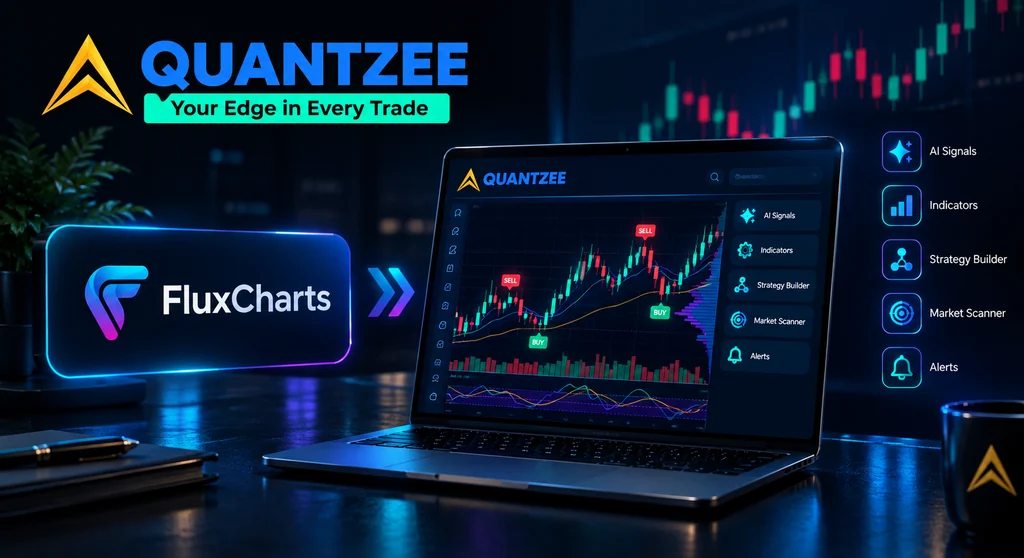
Quantzee was created with just one goal in mind: to solve the issues that traders encounter with static indicators, making its AI trading indicator suite a reliable FluxCharts alternative.
Unlike FluxCharts, which relies on pre-coded signals, Quantzee is AI-driven, constantly adjusting to the live market and learning from price action. Here’s what sets Quantzee apart:
- AI Powered Signals – Quantzee uses advanced adaptive algorithms to deliver non-repainting signals that perform well in a variety of market conditions, ensuring consistent accuracy over time.
- Confidence Ratings— Instead of just an arrow pointing at the target, you get a clear understanding of how strong or reliable the signal is.
- Cost Factor – Designed to be accessible for traders worldwide, Quantzee is more affordable than FluxCharts, making it a great option for both new and experienced traders.
- Beginner + Pro Friendly – With an intuitive interface that’s easy for beginners to understand, plus advanced features that professional traders can rely on.
FluxCharts vs Quantzee: Feature Comparison
| Feature | FluxCharts | Quantzee ✅ |
|---|---|---|
| Signal Type | Static, repainting | AI-driven, non-repainting |
| Ease of Use | Beginner-friendly | Beginner + Pro friendly |
| Customization | Very limited | More customization options |
| Pricing | $59.99/monthly – $719.88/yearly | $59.99 once (full suite, source code included) |
| Community Support | Discord support | 24/7 support |
| Signal Accuracy | Arrows only | AI + confidence levels |
FluxCharts costs $59.99 every month — $719.88 a year. Quantzee’s full 6-indicator suite is the same $59.99, paid once, with nothing after it. Put plainly: the number is identical and the billing period is not. Quantzee’s entire lifetime cost is one FluxCharts month.
FluxCharts vs Elite Signals vs Quantzee
| FluxCharts | Elite Signals | Quantzee | |
|---|---|---|---|
| Category | On-chart TradingView toolkit | External Telegram/Discord signal alerts | On-chart TradingView indicator suite |
| Price | $59.99/mo ($719.88/yr) | $67-97/mo (per EliteSignals comparison) | $59.99 once |
| Repainting | Documented complaints on Price Action Toolkit (user/YouTube reviews) | Reported in body of EliteSignals comparison | Non-repainting by design, verifiable via Bar Replay |
| Delivery | On your own TradingView chart | External alert (Telegram/Discord) — no chart context | On your own TradingView chart |
| Number of tools | Multiple toolkits + screeners | Signal feed only | 6 indicators, one subscription |
Switch from FluxCharts to Quantzee in 10 Minutes
- Open your TradingView chart and remove the FluxCharts Price Action Toolkit / Signals & Overlays overlays (right-click each indicator → Remove).
- Paste any Quantzee indicator into TradingView’s Pine Editor and save it — the Pine Script source arrives by email after purchase. No reinstall of TradingView itself, no lost chart layout.
- Re-create your alerts: open the alarm-clock icon, pick the Quantzee indicator condition (Buy signal, Trend reversal, etc.) in place of the old FluxCharts alert condition.
- Run Bar Replay on the new Quantzee signal for a few sessions before trading it live — no data loss, your price history and drawings stay exactly as they were.
- Cancel FluxCharts once you’re comfortable with the swap — there’s nothing to cancel on Quantzee’s side, since it’s a one-time purchase with no renewal date.
What People Are Saying About Quantzee
“Quantzee indicators are worth every penny. Reliable, well-built, and gives real clarity.”
— Neil Richards ⭐⭐⭐⭐⭐
“Non-repainting signals and adaptive trend logic helped filter bad trades in forex.”
— Jason Smith ⭐⭐⭐⭐⭐
Rather than lean on more unverifiable star ratings, the specific, checkable claim is this: every Quantzee indicator’s non-repainting behavior can be verified by any trader, for free, using TradingView’s Bar Replay before paying anything — a test FluxCharts’ Price Action Toolkit does not publish results for.
“Clear AI trend signals and automatic entries make trading much easier.”
— Tim Spencer ⭐⭐⭐⭐⭐
“Quantzee changed the way I trade. Finally something that actually works.”
— Marcus Freeman ⭐⭐⭐⭐⭐
Who Should Use Which Tool?
- Novices who are scared of chart overload → FluxCharts may be a good starting point for beginners overwhelmed by chart clutter, but quantzee is similarly helpful at a fraction of cost.
- Swing traders requiring consistency → Quantzee’s AI-driven signals offer consistent, reliable insights, making it an excellent choice for swing traders.
- Budget conscious traders around the world → Quantzee costs way less.
- Visual learners→ Both tools are visually oriented, but Quantzee takes it a step further by providing AI-powered signals with contextual confidence ratings.
- Pro traders scaling up → FluxCharts can be limiting for experienced traders, as it lacks depth and adaptability. Quantzee, on the other hand, is designed to scale with you, offering advanced features and real-time adaptability that help professionals make data-driven decisions in dynamic market conditions.
Conclusion
While FluxCharts introduced many traders to simplified charting indicators and visual trade signals, modern traders expect more than static arrows that can repaint or fail under volatile conditions. Today, reliability, affordability, and adaptive AI-driven analysis are essential for consistent trading success.
That’s where Quantzee stands out as a better FluxCharts Alternative. With non-repainting AI signals, confidence ratings, broad market coverage, and cost-effective pricing, it provides traders both beginners and professionals with tools they can trust.
If you’re frustrated chasing signals that disappear, or paying excessive fees for stale tools, it’s time you should upgrade to Quantzee. For a deeper breakdown of what FluxCharts offers — and where it falls short — read our full FluxCharts Review 2026.
Explore Quantzee Indicators
- AI Adaptive Quant Toolkit — 8 visual overlays + live dashboard on TradingView
View all indicators · See pricing
Related Articles
- LuxAlgo Alternative
- Overcharts Alternative
- VuManChu Cipher Alternative — another TradingView oscillator/toolkit comparison worth reading