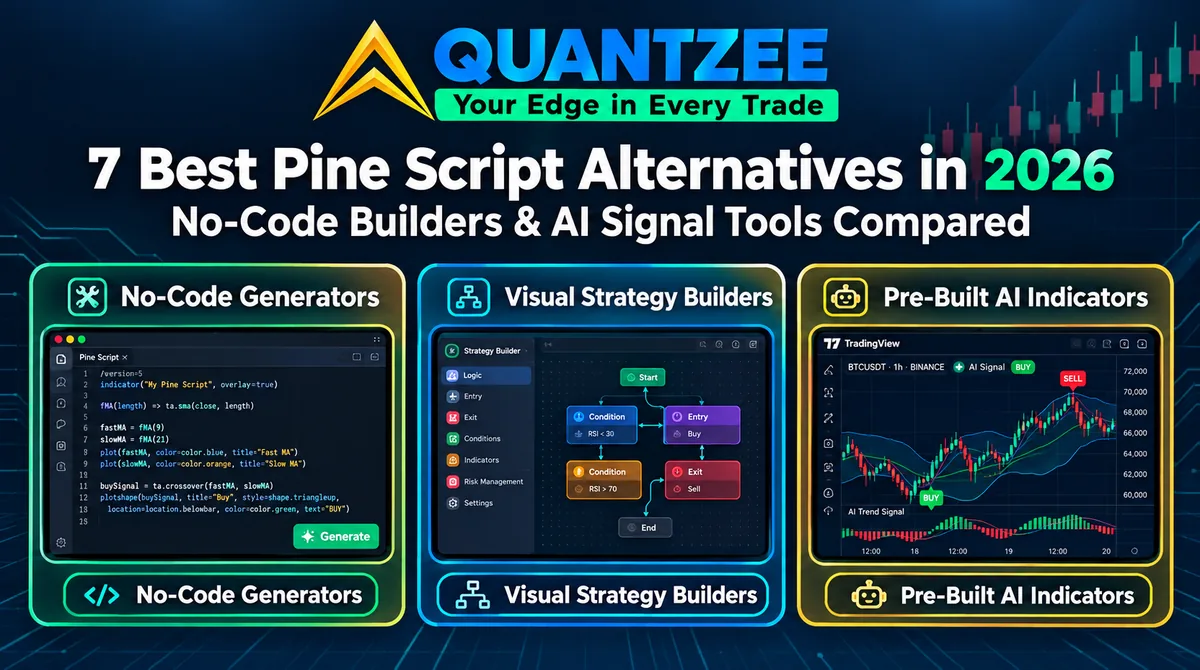
The best Pine Script alternatives in 2026 fall into three categories: 1) No-code strategy builders (Pineify, TrendSpider) that generate code from a description, 2) pre-written indicator suites (Quantzee) that hand you finished Pine Script you did not have to write, and 3) connector/bot platforms for automated execution of signals you already have. Which fits depends on how much control you want over the underlying logic versus how much setup time you want to spend — and raw Pine Script itself remains the free, most flexible, most time-consuming option of the four.
One distinction worth making early, because most comparisons in this space get it wrong: not writing Pine Script and not having Pine Script are different things. A no-code generator writes code you then have to review and maintain. An invite-only indicator gives you no code at all, and access that can be withdrawn. Quantzee sits between the two — the scripts are already written, tested and tuned, and the source files are emailed to you to keep. You skip the writing without giving up the code.
Named-Tool Comparison: Pineify vs TrendSpider vs Quantzee vs Raw Pine Script
| Pineify (no-code generator) | TrendSpider (chart/strategy builder) | Quantzee (AI signal toolkit) | Raw Pine Script (write it yourself) | |
|---|---|---|---|---|
| Coding required | None — describe in plain English, get code | None — visual strategy builder | None to use; the source is yours if you want it | Full Pine Script v5/v6 knowledge |
| Cost (2026) | $149-$259 one-time (lifetime access tiers) | $54-$89/mo Standard (annual/monthly), no free plan, 14-day trial from $19 | $59.99 one-time (all 6 indicators, source files included) | Free (TradingView account only) |
| Customization ceiling | High — you own the generated code and can keep editing | High — full strategy/screener builder, multi-timeframe | High — configure the exposed settings, or edit the source you receive | Unlimited — anything Pine Script v6 supports |
| Time to first strategy | Minutes to describe + review generated code | Hours to learn the builder interface | Under 5 minutes — paste into the Pine Editor, save, configure | Days to weeks if learning from scratch |
Pricing verified against Pineify’s and TrendSpider’s own pricing pages and Quantzee’s live pricing as of September 2026.
The 3 Categories
No-code generators (e.g. Pineify). You describe a strategy in plain English and the tool writes Pine Script for you. You still end up with code — you just didn’t type it — and you’re responsible for reviewing, backtesting, and maintaining it as Pine Script evolves. This suits traders who have a specific, custom strategy idea but no coding background. See our full Pineify comparison for a detailed breakdown of this specific tool.
Connector/bot tools. These take signals or alerts (often from TradingView alerts) and route them to a broker or exchange for execution, without requiring you to write strategy logic yourself — the “no-code” part is on the execution side, not necessarily the signal-generation side. You typically still need a signal source (a built-in indicator, a purchased script, or a manual alert) to feed the connector.
Pre-written indicator suites (e.g. Quantzee). No strategy-description step at all — the indicators already exist, already tested and tuned. You paste each script into TradingView’s Pine Editor, save it, and configure the exposed settings.
The usual trade-off here is customization depth: you work within what the settings expose rather than writing arbitrary logic. Quantzee softens that, because you receive the actual .pine source files and the licence lets you modify them for your own use — so the ceiling is “edit someone else’s working script” rather than “write one from scratch”. That is a meaningfully lower bar than Pine Script from zero, and a meaningfully higher ceiling than a protected, invite-only script that hides its logic from you entirely.
Which Category Fits You
- Want a specific, custom strategy and don’t mind reviewing generated code? A code generator like Pineify is the closest fit — see the full Pineify comparison for pricing and feature detail.
- Already have a signal source and want it executed automatically? A connector/bot tool solves the execution side, not the signal side — you’ll still need indicators feeding it.
- Want proven signal categories (trend, momentum, volatility, smart-money-concept) without a strategy-design step? A pre-written suite like Quantzee’s 6 indicators ($59.99 once, all 6 included, source files emailed) is the lowest-effort path — and the only one on this list where you end up holding working Pine Script without having written a line of it.
- Want to learn Pine Script by reading working examples rather than starting from a blank editor? Reading six production indicators is a faster route in than most tutorials. Quantzee’s files are plain, unprotected
.pine, and the AI assistant included with the purchase will walk you through any part of them.
None of these substitute for your own risk management. Paper trade first with any generated script, connected bot, or signal indicator before committing real capital, regardless of which category you choose.
Skip writing the code, not owning it — 6 AI-powered indicators live on your chart in 5 minutes, and the Pine Script source emailed to you to keep. One payment of $59.99, no subscription, no expiry.
Frequently Asked Questions
Related Articles
- Pineify Alternative
- AI Signals Alternative — if a finished AI signal toolkit is the closer fit for you
- Tickeron Alternative — another AI-driven, no-code path away from writing Pine Script
- AlphaTrend Alternative — comparing a free open-source script against these paid, no-code categories