Disclaimer: Quantzee indicators are analytical software tools designed to assist your own analysis. This content is for educational and informational purposes only and does not constitute investment advice. Do your own research before trading. Trading involves risk of capital loss. Quantzee is not a registered investment advisor. Analytical software, not investment advice.
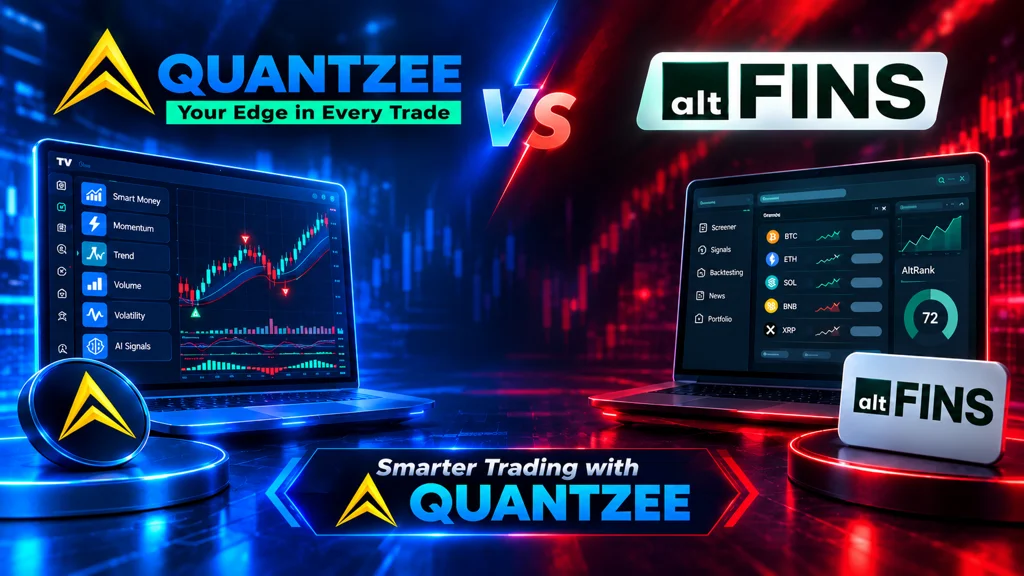
Altfins and Quantzee are not direct substitutes: Altfins is an AI-powered pattern-scanning and screening platform, while Quantzee is a non-repainting TradingView signal suite sold for one $59.99 payment — the right pick depends on whether you want a market scanner or on-chart entry/exit signals.
If you searched “Altfins alternative,” you may be asking the wrong question — not because Altfins is a bad tool, but because you may be comparing two things that were never designed to do the same job.
Altfins is a crypto screener: it helps you find which coins to look at. Quantzee is a TradingView indicator suite: it helps you decide exactly when to enter and exit a trade on a chart you are already watching. These are not substitutes for each other — they are different stages of the same trading workflow.
This distinction matters before you make a purchase or switch tools. Once you understand it, you will know exactly when Altfins is the right answer, when Quantzee is the right answer, and when the most serious answer is both.
⚡ Key Takeaways
- Altfins is a crypto screener (which assets to watch) and Quantzee is a TradingView indicator suite (when and how to trade) — they solve different problems at different stages of the workflow, not the same problem
- Altfins Premium costs $60/month (or $25/month annually) and is crypto-only; Quantzee's one-off $59.99 covers execution-level signals across crypto, forex, major global indices, and all TradingView markets — about what Altfins Premium charges in a single month
- Every Quantzee indicator is non-repainting, so you can verify signal quality using the Bar Replay test before you buy — and read the Pine Script source afterwards
- For serious crypto traders, the strongest workflow combines both: Altfins for discovery (which coins) plus Quantzee on TradingView for execution (when and at what level) — additive, not competing
Top 4 Alternatives to Altfins in 2026 (Quick Comparison)
If you’re comparing Altfins against the field rather than just against one competitor, here’s where it sits relative to the other tools traders in this category most often shortlist:
| Rank | Tool | Category | Starting Price | Notable Limitation / Fit |
|---|---|---|---|---|
| 🏆 1 | Quantzee | AI signal indicators (TradingView) | $59.99 once — Pine source emailed, no renewal | Non-repainting, verifiable on Bar Replay, covers crypto, stocks, forex & commodities |
| 2 | Altfins | — | $20–$60/mo | crypto screener, not a chart-timing indicator |
| 3 | Tickeron | Related tool in this category | See full comparison | Different feature/price tradeoff — worth shortlisting alongside Altfins |
| 4 | 3Commas | Related tool in this category | See full comparison | Different feature/price tradeoff — worth shortlisting alongside Altfins |
Quantzee tops this list on price-to-signal-clarity ratio — $59.99 paid once against Altfins’s $20–$60 every month, with non-repainting logic you can verify yourself before paying. The detailed, feature-by-feature comparison against Altfins specifically follows below.
Table of Contents
- Top 4 Alternatives to Altfins in 2026 (Quick Comparison)
- What Category Is Altfins, Actually?
- The Screener vs. Indicator Distinction
- What a Screener Does Well
- Where a Screener Stops
- What a TradingView Indicator Suite Does
- The Combined Workflow: When You Need Both
- Altfins in Detail: Strengths and Limitations
- Altfins Pricing (2026)
- Quantzee: The Indicator Suite Side of the Equation
- Free vs Paid: Where to Start
- Side-by-Side Comparison
- Who Should Use Altfins
- Who Should Use Quantzee
- Who Should Use Both
- Conclusion
- FAQs
What Category Is Altfins, Actually?
Launched in 2018, Altfins is a cloud-based crypto analysis platform. The core feature is its crypto screener: a database of cryptocurrencies you can filter by technical conditions, chart patterns, and on-chain metrics. When you want to find “RSI oversold cryptos above 200 EMA with a recent bullish crossover,” Altfins is built for exactly that search.
The platform also provides:
- Pattern recognition alerts for breakouts, triangles, wedges, and flags — flagged automatically without manual scanning
- Portfolio tracking across exchanges including Binance, Coinbase, and KuCoin
- Automated chart analysis that categorises coins by trend phase (strong uptrend, strong downtrend, weakening trend, accumulation)
- Fundamental data including token metrics, news sentiment, and on-chain flows for crypto
This is a powerful feature set — for what it is. The keyword is discovery tool: Altfins helps you find candidates. What it does not do is help you time your actual entry, set your stop-loss intelligently, manage your trade once open, or adapt to the intraday volatility regime you are trading in.
The Screener vs. Indicator Distinction
This is the most important concept in this article, and most comparison posts skip it entirely.
A screener answers: “Which instruments should I be looking at right now?”
It scans a universe of assets and returns a filtered subset based on conditions you define. The output is a list — “these 12 coins match your criteria.” Screeners operate at the asset-selection level.
A trading indicator answers: “On this chart I am already looking at, what does the signal say right now?”
It processes price, volume, and volatility data on a specific chart and generates signals, levels, and visualisations to support your entry and exit decisions. Indicators operate at the trade-execution level.
These are sequential steps in a trading workflow, not competing solutions:
- Screen (Altfins) → shortlist of instruments worth watching
- Analyse on-chart (TradingView indicators) → judge the current signal, set levels, time the trade
- Execute → broker
If you try to use a screener as an indicator, you are applying a discovery tool to an execution problem. If you try to use an indicator as a screener, you would have to open charts one by one — which defeats the purpose of screening. They are built for different problems.
What a Screener Does Well
Altfins specifically, and screeners generally, shine at these tasks:
Opportunity scanning at scale. There are thousands of tradeable cryptos. Reviewing them manually is impossible. Altfins’ filter engine lets you define conditions and surface the small subset worth investigating — a genuine time saving.
Pattern-based filtering. Rather than just numeric filters (RSI < 30), Altfins recognises visual chart patterns — ascending triangles, head and shoulders, flags — across its universe. This is genuinely hard to replicate manually.
Trend categorisation. Altfins classifies assets into trend phases (strong uptrend, strong downtrend, weakening, ranging) using its own methodology. This gives you a macro overview before you open a single chart.
Portfolio management across exchanges. For crypto traders managing positions on Binance and Coinbase simultaneously, the unified portfolio view is a real convenience.
Where a Screener Stops
A screener gives you a list. It does not tell you:
- Exactly when to enter the trade on the chart in front of you
- Where to set your stop-loss relative to current volatility
- When the trend is losing momentum before the reversal happens
- Whether the current squeeze will break up or down
- How multi-timeframe alignment looks across your trading and higher timeframes
- What the intraday regime is right now — trending, choppy, or compressing
These are chart-level, execution-level questions. Screeners do not process individual-chart microstructure. That is the job of a TradingView indicator.
This is not a criticism of Altfins — it is designed as a screener and it is good at that. The gap it creates is structural and intentional, not a product deficiency.
What a TradingView Indicator Suite Does
Quantzee is a suite of TradingView indicators. The distinction from a screener is complete:
- You bring the chart (any instrument, any market, any timeframe)
- The indicator reads the price action in real-time on that chart
- It generates signals, levels, and regime readings that help you make execution-level decisions
Because everything runs inside TradingView, it works on any instrument TradingView supports: crypto, forex, index indices (major global indices), global stocks, commodities. You are not limited to a curated database — you trade whatever charts you trade.
Key execution capabilities:
Signal generation with context. Not just a buy/sell arrow — a signal with a defined stop-loss level (e.g., the slow SuperTrend line), take-profit levels (ATR-based ladder), and trend-strength gradient showing whether the trend is gaining or losing energy.
Regime classification. Whether the market is currently trending, compressing (Bollinger squeeze), or in mean-reversion mode — critical for adjusting strategy.
Multi-timeframe dashboards. At a glance, you can see whether your chart-timeframe signal aligns with the 1H, 4H, Daily, and Weekly trends — preventing the common mistake of trading a counter-trend signal on a short timeframe.
Non-repainting guarantee. Signals lock when they print. They do not reappear on the historical chart after you missed them live. This is fundamental to whether backtesting means anything.
The Combined Workflow: When You Need Both
The most powerful trading setup is not Altfins OR Quantzee. For serious crypto traders, it is Altfins AND Quantzee, used in sequence:
Step 1 — Altfins screening. Start your session on Altfins. Filter for coins in a strong uptrend, RSI between 40–55 (continuation zone), with a squeeze breakout flagged in the last 3 bars. You have gone from 5,000 coins to a shortlist of 8–12.
Step 2 — Chart analysis on TradingView. Open those 8–12 charts in TradingView with Quantzee indicators loaded. Check whether SuperTrend Pro+ confluence is active (both fast and slow SuperTrends aligned). Check MACD Pro+ for divergence and chop-zone context. Check multi-timeframe alignment on the dashboard.
Step 3 — Trade only the setups where both tools agree. The Altfins screen confirmed a technical setup worth watching. The Quantzee chart analysis confirmed the execution signal. The combination is a higher-conviction trade than either tool alone could produce.
This is how screeners and indicators are meant to work together. If you are only using a screener, you are doing the discovery step but guessing the timing. If you are only using indicators, you may be spending hours opening charts one by one looking for setups. Both tools, in sequence, eliminate both problems.
Altfins in Detail: Strengths and Limitations
Strengths
- Crypto-specific depth. The screener is purpose-built for crypto with on-chain data and exchange integration that general tools do not match.
- Automated pattern recognition. Finding triangles and head-and-shoulders patterns across thousands of assets is a genuine labour-saving automation.
- Portfolio view across exchanges. Binance + Coinbase in one dashboard is a real convenience for multi-exchange traders.
- Educational content. The platform includes strategies and video content useful for self-directed learners.
Other named Altfins alternatives worth knowing about
If your actual complaint with Altfins is the screener itself — not the screener-vs-indicator category gap this article focuses on — two other named tools are worth a look before you assume Quantzee is the fix: ChartScout, an AI-powered pattern scanner that watches 1,000+ trading pairs and alerts on chart patterns (triangles, flags, head-and-shoulders) within seconds of formation, aimed at traders on faster 1m-15m timeframes than Altfins typically covers; and DEX Screener, a free, real-time on-chain pair scanner for decentralized-exchange tokens (liquidity, volume, new pair listings) that Altfins’ centralized-exchange-oriented database doesn’t cover. Both are still screeners — the same category as Altfins — not indicator suites like Quantzee.
Is Quantzee a replacement for Altfins? No — Quantzee doesn’t scan/screen assets. It analyzes the chart you’re already viewing. Traders who want both typically run Altfins (or ChartScout/DEX Screener) to find setups and Quantzee to time entries.
Limitations
- Crypto-only coverage. If you trade forex, your exchange stocks, the index futures, or commodities, Altfins provides zero coverage. You need separate tools for every other market.
- No execution-level timing. Altfins can tell you “this coin is in a strong uptrend with an RSI crossover.” It cannot tell you whether right now, on the 15-minute chart, is a good time to enter versus waiting for the next pullback.
- No intraday regime reading. Screeners work on daily (sometimes 4H) timeframes. If you trade intraday, screener conditions can be obsolete within an hour of your session starting.
- Repainting risk. Altfins’ pattern signals are algorithmic detections, not manually verified. As with any algorithmic detection, there is inherent risk of signals being revised as more data comes in.
What Users Actually Say
Real feedback from trading communities:
“Good for finding setups, not for trading them.” Users consistently praise Altfins for discovery and find the setup alerts useful as a starting point. The gap is in what to do after the alert fires.
“The trend phase feature is underrated.” The strong/weak/accumulation phase classifications are cited as a fast way to eliminate coins that are clearly not ready to move.
“Not useful for intraday.” Multiple users note that the daily-timeframe screener is mismatched with short-term trading — by the time you act on a daily signal, the intraday entry point may be hours past.
“Pricing feels high for discovery only.” At $40–60/month, users who primarily want chart-level tools find the screener-only value proposition hard to justify versus using TradingView’s own screening with better indicator support.
Altfins Pricing (2026)
Monthly Plans
- Basic Plan: $20/month
- Essential Plan: $40/month
- Premium Plan: $60/month
Annual Plans
- Basic Plan: $90/year (~$7.50/month)
- Essential Plan: $200/year (~$16.67/month)
- Premium Plan: $300/year ($25/month)
Lifetime Plans
- Basic: $200
- Essential: $400
- Premium: $600
The monthly tier is significant because it determines category competition: at $40–60/month Altfins competes with Quantzee for budget allocation. The difference is what each one does with the money. $40–60 a month on Altfins buys you a crypto discovery tool, and buys it again next month. Roughly the same sum spent once at Quantzee buys chart-level execution support across all markets, permanently.
Quantzee: The Indicator Suite Side of the Equation
Quantzee is a TradingView indicator suite — a different category from Altfins, built for the execution stage of trading.
The full suite (one payment of $59.99) includes indicators for signal generation, momentum analysis, volatility regime reading, and multi-timeframe alignment across any instrument TradingView supports.
Key paid indicators include:
- SuperTrend Pro+ — dual-SuperTrend confluence with ATR-based TP/SL ladder, trend-strength gradient, and non-repainting signals
- AI TrendPulse — adaptive trend detection that adjusts to volatility regimes
- AI Adaptive Quant Toolkit — multi-market AI signal suite
The indicators are designed around one standard: non-repainting. Signals lock at bar close. They do not retroactively appear on the historical chart. This matters because repainting indicators can look perfect in a marketing screenshot but perform nothing like that in live trading — a distinction covered in detail in our non-repainting TradingView indicators guide.
Already pay for Altfins? Add Quantzee for one $59.99 payment and stop guessing entries on the coins Altfins finds for you.
Verifying Before You Subscribe
Quantzee’s full suite is paid — $59.99 once, no free tier or trial, and no refund since the source code is emailed immediately. So the lowest-risk way to evaluate it is to verify signal quality first: add an indicator like MACD Pro+ or SuperTrend Pro+ to a TradingView chart and run the Bar Replay test.
If you trade crypto on TradingView, this is a direct way to verify Quantzee’s non-repainting signal quality before spending anything on a screener subscription. Verify it first, add the screener for discovery if needed, and buy the full Quantzee suite when you need advanced signal generation.
Side-by-Side Comparison
| Category | Altfins | Quantzee |
|---|---|---|
| Tool type | Crypto screener | TradingView indicator suite |
| Primary function | Find which assets to watch | Time entries and exits on a specific chart |
| Market coverage | Crypto only | All TradingView markets (crypto, forex, indices, equities, commodities) |
| Operates at | Asset-selection level | Trade-execution level |
| Timeframes | Daily / 4H screener | Any — 1m, 5m, 15m, 1H, 4H, Daily |
| Intraday trading support | Limited | Full (signals update tick-by-tick) |
| Pattern detection | Yes (automated screener) | Via indicator conditions; not a screener |
| Portfolio tracking | Yes (multi-exchange crypto) | No |
| Non-repainting signals | Not guaranteed | Yes, by design |
| Price (paid) | $20–$60/month | $59.99 once, no renewal |
| Best used for | Discovery + screening | Execution + timing |
Who Should Use Altfins
Use Altfins if:
- You trade crypto exclusively and want fast opportunity discovery across thousands of coins
- You manage a multi-exchange crypto portfolio and want unified tracking
- You are a daily or swing trader who can act on daily-timeframe pattern alerts
- You want automated pattern recognition (triangles, flags, wedges) across crypto without manual chart scanning
- You need on-chain and fundamental data alongside technical signals for crypto
Who Should Use Quantzee
Use Quantzee if:
- You want execution-level timing on a chart you are already watching
- You trade any market beyond crypto — forex, major global indices, stocks, commodities
- You do intraday trading where screener conditions are too slow to be useful
- You need non-repainting signals you can trust for a real backtest
- You want adaptive indicators that adjust to volatility regimes rather than fixed-parameter tools
- You are starting out and want to test a real indicator before committing — the Quantzee suite’s non-repainting architecture is independently testable
Who Should Use Both
Serious crypto traders who want the strongest possible workflow:
- Altfins to identify which coins are in the right setup phase (strong trend, RSI conditions, pattern alert)
- Quantzee on TradingView to time the actual entry with non-repainting confluence signals and a defined stop-loss level
The tools are additive, not competing. Altfins solves discovery; Quantzee solves execution. The combination is stronger than either alone.
Conclusion
If you came to this article looking for a replacement for Altfins, the honest answer is: Quantzee is not a screener and does not replace what screeners do. What Quantzee does is solve the problem that comes after a screener: once you know which chart to look at, it gives you the execution tools to trade it precisely.
The “Altfins alternative” framing assumes the two tools compete for the same job. They do not. Altfins is pre-trade discovery. Quantzee is on-chart analysis and signal generation. They occupy sequential stages of the trading process.
The practical conclusion:
- If you need crypto discovery and portfolio tracking → Altfins is right for its purpose
- If you need chart-level execution tools across any market → Quantzee (start with SuperTrend Pro+)
- If you are a serious crypto trader who wants both → the combined workflow outperforms either tool used alone
Understanding the category first means you spend money on the right tool for the right problem.
Explore Quantzee Indicators
- SuperTrend Pro+ — Dual confluence with TP/SL ladder
- MACD Pro+ — Adaptive chop-zone grading + divergence engine
- Smart Money Concepts (SMC) Toolkit Pro — Full SMC overlay with order blocks and liquidity mapping
- AI Adaptive Quant Toolkit — Multi-market AI signals suite
- Adaptive AI Oscillation Engine — Smart Money Flow + Hyper-Wave momentum
- AI TrendPulse — Adaptive EMA trend detection + AI commentary
View all indicators · See pricing
Related Articles
- Best Crypto Indicators — Australia
- Tickeron Alternative
- Non-Repainting TradingView Indicators
- 3Commas Alternative — for crypto traders who also want to compare screening vs bot-automation tools
- AI Signals Alternative — see how Altfins’ screening approach compares to AI-generated chart signals