Most retail traders don’t have the luxury of sitting in front of four monitors from market open to close. They have a job, a commute, a family, a life that happens away from the desk — and yet the market keeps moving whether they’re watching or not. The traders who handle this well aren’t the ones who quit their day job to watch candles; they’re the ones who’ve built a mobile alert workflow tight enough that their phone does the watching for them.
This guide walks through building that workflow end to end: how to configure TradingView alerts so they’re actionable (not just noisy), how to route them to your phone reliably, and how to use non-repainting indicators so the signal your phone shows you at 2pm on a train platform is the same signal you’d have seen sitting at your desk. It’s a global, market-agnostic setup — the same principles apply whether you’re trading forex majors, crypto perpetuals, gold, index futures, or equities, in any timezone.
⚡ Key Takeaways
- A mobile alert workflow is only as trustworthy as the indicator behind it — repainting signals mean the alert you see on your phone may not match what actually happened on the chart
- TradingView's mobile app push notifications are the fastest, most reliable channel for time-sensitive alerts; email and SMS lag behind and should be a backup, not the primary channel
- "Once Per Bar Close" alert frequency matters even more on mobile, where you can't glance at the chart to sanity-check a signal before acting on it
- Webhook-to-broker automation removes the "am I near my phone" risk entirely for traders who want signals to execute even when they can't react in time
- A mobile workflow needs guardrails — position size caps, a pre-committed max-alerts-per-day rule, and a "do not trade while driving/in a meeting" habit — because a phone buzzing mid-task is a worse decision-making environment than a quiet desk
A note on positioning before we go further: this article describes a technical workflow for receiving and acting on chart-based alerts using charting software. It is educational content, not investment advice, and no setup described here guarantees a trading outcome. Always apply your own risk management and position sizing, and consider consulting a licensed financial advisor for advice specific to your situation.
Why “trading from your phone” usually fails — and how a proper workflow fixes it
The failure mode is familiar: a trader sets a dozen loose alerts, gets buried in notifications, starts ignoring most of them, and either misses the one that mattered or reacts late to a signal that’s already stale by the time they open the app. The problem isn’t mobile trading itself — it’s that most mobile setups are just a desk workflow crammed onto a smaller screen, with none of the filtering that made the desk workflow usable in the first place.
A workflow built specifically for mobile does three things differently: it fires fewer, higher-quality alerts (so notification fatigue doesn’t set in); it fires them on closed bars only (so what you see on your phone is final, not a still-forming candle that could flip); and it gives you a pre-decided action for each alert type, so you’re not making a cold trading decision standing in a grocery store line.
What you need
- TradingView account with mobile app installed (iOS/Android) — push notifications require the app to be logged in and notifications enabled at the OS level, not just inside TradingView’s own settings.
- A non-repainting indicator for whichever signal you’re alerting on. This matters more on mobile than on desktop, because on desktop you can glance at the chart and visually confirm a signal before acting; on mobile, you’re often acting on the notification text alone. A signal that can retroactively change is far more dangerous in a “notification-only” decision context. See our guide on how to test a TradingView indicator for repainting before trusting any tool for this.
- A pre-decided rule set — what you do when each alert type fires, decided in advance, not improvised in the moment.
- Optional: a webhook-capable broker or automation layer, if you want some or all of the execution to happen without you touching your phone at all.
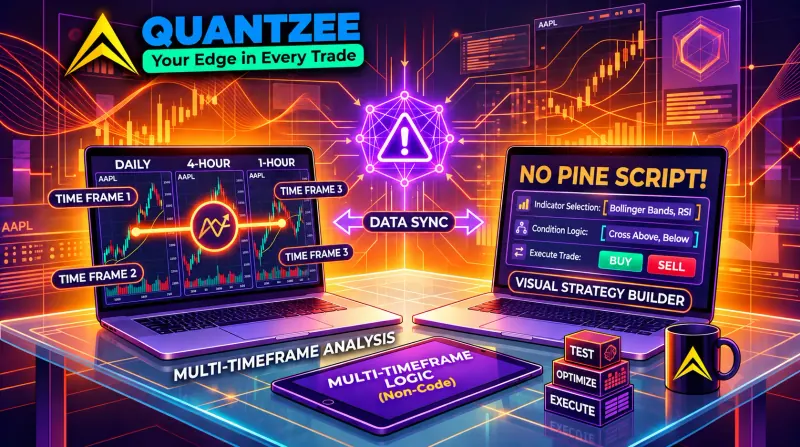
None of this requires Pine Script. Every step below uses TradingView’s built-in alert creation dialog and your indicator’s settings panel.
Step 1 — Pick a small number of high-conviction alert conditions
Start by resisting the urge to alert on everything. A mobile workflow degrades fast once you’re getting more than a handful of notifications a day — you either start ignoring them (defeating the purpose) or start reacting reflexively without enough context (worse than not trading at all).
Pick 1–3 conditions that represent genuinely actionable moments, not every minor cross or dot:
- A confirmed trend-change signal from a non-repainting trend tool (e.g., SuperTrend flip on a closed bar), rather than every intrabar oscillation.
- A breakout or breakdown through a key level with volume confirmation, rather than every touch of that level.
- A multi-timeframe confluence alert — see our guide on building multi-timeframe strategies without Pine Script — where the indicator itself only fires when a higher-timeframe bias agrees, which naturally filters out low-conviction signals before they ever reach your phone.
Fewer, better alerts is the entire game. If you’re getting more than 5–10 mobile alerts a day across all your instruments, you’ve probably set the bar too low.
Step 2 — Set alert frequency to “Once Per Bar Close,” not “Once Per Bar”
This is the single most important technical setting in the whole workflow, and it matters even more on mobile than at a desk. “Once Per Bar” can fire on a still-forming, unclosed candle — meaning the signal your phone just buzzed about might disappear or reverse before that bar actually finishes. At a desk, you’d notice this by watching the chart continue to update. On a phone, you often can’t — you see a push notification, and by the time you open the app the bar may have already closed differently.
“Once Per Bar Close” only fires once the bar is final and can no longer change. For a mobile-first workflow, treat this as non-negotiable.
Step 3 — Configure push notifications correctly (this is where most setups quietly break)
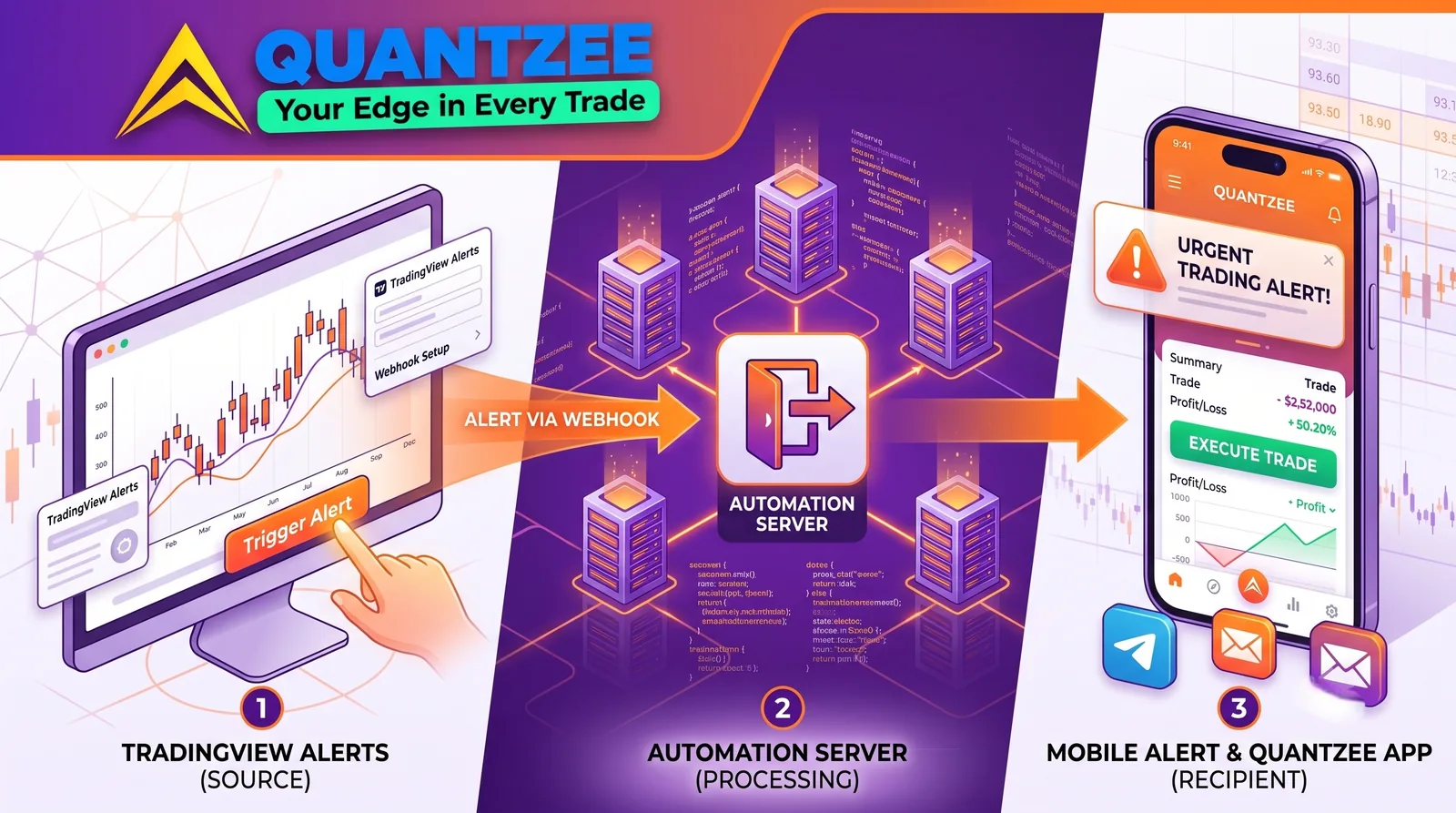
TradingView alerts can route to app push, email, SMS (paid plans), and webhook. For time-sensitive mobile trading, app push is the fastest and most reliable channel — email and SMS both introduce meaningful lag (seconds to minutes) that can matter on faster-moving instruments like crypto or gold.
To make push notifications actually reliable:
- In the TradingView mobile app, go to Profile → Settings → Notifications and confirm alert push notifications are enabled.
- At the OS level (iOS Settings / Android Settings), confirm TradingView has notification permissions and that “Do Not Disturb” or battery-optimization settings aren’t silently suppressing background notifications — this is a common, easy-to-miss cause of “missed” alerts that were actually sent but never surfaced.
- When creating each alert, explicitly check the “App” (push) delivery option, not just email — it’s easy to leave push unchecked and only discover the gap when you miss a trade.
- Test with a low-stakes alert (e.g., a simple price-cross condition) before relying on the workflow for anything real. Confirm the notification arrives within a few seconds on your actual phone, not just in TradingView’s alert log.
Step 4 — Decide your action for each alert type, in advance
This is the step most mobile setups skip, and it’s the one that actually determines whether phone-based trading works or turns into a stress source. For each alert condition from Step 1, write down — before you ever receive the alert — exactly what you’ll do:
- “Trend-flip alert on [instrument]” → check the multi-timeframe bias dashboard on the app; if it agrees, place a pre-sized entry with a pre-calculated stop; if it disagrees, no action, just note it.
- “Breakout alert on [instrument]” → wait for one additional closed bar for confirmation before acting (an extra safety step that costs a little speed but removes a lot of false-breakout risk when you can’t watch the chart continuously).
Having this decided in advance turns a phone notification into a checklist execution rather than a cold decision made under time pressure in a random physical location — which is a meaningfully worse decision-making environment than a quiet desk.
Choosing the right delivery channel for each situation
Not every alert needs the same delivery channel, and treating them all the same is a common source of either missed signals or unnecessary noise. A quick comparison of what each channel is actually good for:
| Channel | Typical delay | Best for | Watch-outs |
|---|---|---|---|
| App push | Seconds | Time-sensitive entries/exits, trend-flip alerts | Silently suppressed by OS-level Do Not Disturb or battery optimization if not explicitly allowed |
| Webhook | Near-instant | Automated execution, feeding a bot or broker API | Requires a receiving endpoint (broker automation layer, bot, or middleware); no human review step |
| SMS | Seconds to low minutes, plan-dependent | Backup channel when push might be missed (e.g., traveling with data roaming issues) | Paid-tier feature on TradingView; can be delayed by carrier routing |
| Minutes, sometimes longer | Low-urgency logging, end-of-day summaries, non-time-sensitive research alerts | Too slow for entries on fast-moving instruments like crypto or gold; use for record-keeping instead |
A practical pattern many mobile-first traders settle on: push as the primary channel for anything actionable, webhook for the subset of alerts they’ve decided to fully automate, and email purely as an audit trail they review at the end of the day — not as a live signal source.
Set a daily alert budget, and treat breaches as a signal in themselves
Even with a tight, high-conviction alert set from Step 1, real markets occasionally produce clusters of signals — a volatile session, an overlapping set of instruments all breaking out together, a news-driven spike across correlated assets. Decide in advance on a maximum number of alerts you’ll act on in a single day (a common starting point is 3–5 actioned alerts, regardless of how many total notifications arrive), and pre-commit to what happens once you hit it: stop taking new entries for the day, regardless of how good the next signal looks.
This isn’t just risk management — it’s decision-quality management. The tenth alert of an unusually active day is being evaluated by a more fatigued, more reactive version of you than the first one was. Treating “I’ve hit my daily cap” as useful information (the market is unusually active, and your judgment is more likely to be compromised) rather than an arbitrary limit to work around tends to produce better outcomes than trying to catch every signal.
Battery, data, and the boring logistics that quietly break mobile workflows
A few practical items that have nothing to do with trading strategy but determine whether the whole workflow actually works when you need it:
- Background app refresh / battery optimization. Both iOS and Android have aggressive battery-saving modes that can delay or suppress push notifications from apps running in the background. Explicitly whitelist TradingView from these restrictions rather than assuming default settings are permissive enough.
- Data connectivity while traveling. If you travel across time zones or regions, confirm your data plan or roaming setup doesn’t introduce delays that matter for your instrument’s typical move speed — this is a bigger deal for fast-moving crypto pairs than for slower-moving swing setups on daily charts.
- Notification sound/vibration settings. A push notification that arrives silently and unnoticed is functionally the same as one that never arrived. If a given alert type is genuinely high-priority, give it a distinct sound or a critical-alert setting (where your phone OS supports it) rather than lumping it in with every other app notification.
- A charged phone. It sounds trivial, but a workflow built around “my phone will alert me” has a single point of failure that’s easy to forget about during a long day away from a charger.
None of these are trading decisions, but a workflow that fails on logistics fails just as completely as one that fails on strategy.
Step 5 — Consider webhook automation for the parts you genuinely can’t react to in time
If your job or schedule means you sometimes can’t act on an alert within a reasonable window (in a meeting, driving, asleep across a different timezone’s session), a webhook-based automation layer removes the “am I near my phone” risk for that specific alert type. TradingView’s alert dialog supports a webhook URL delivery option alongside push and email — the webhook payload can feed into a broker’s automation API or an execution bot, so the trade happens the moment the (already-computed, no-code) signal fires, without you touching anything.
This isn’t the right choice for every alert type — some signals genuinely benefit from a human sanity-check before execution — but for simple, well-tested, low-discretion conditions (e.g., a confirmed trend-flip with a fixed stop and target), automation removes the single biggest failure mode of mobile trading: being unreachable at the exact moment it mattered.
Common mistakes in mobile alert workflows
- Alerting on everything. A flood of low-conviction notifications trains you to ignore your phone, which defeats the entire purpose. Cut down to a handful of genuinely high-conviction conditions.
- Using a repainting indicator for mobile-only decisions. On a desk you can double-check a chart before acting; on a phone you're often trusting the notification text alone. A repainting signal is far riskier in that context. Verify non-repainting behavior directly before relying on any tool for mobile alerts.
- Leaving push notifications unchecked on individual alerts. It's easy to set an alert and forget to tick the "App" delivery option, discovering the gap only after missing a trade.
- OS-level notification suppression. Battery optimization and Do Not Disturb settings on the phone itself can silently block app push notifications even when TradingView's own settings look correct. Test end-to-end, not just inside the app.
- Reacting without a pre-decided rule. A phone buzzing during a meeting or while driving is a worse decision-making environment than a desk. Decide your action for each alert type in advance, not in the moment.
- No position-size or daily-alert caps. Mobile trading without guardrails (a hard cap on position size, a max number of trades you'll act on per day) tends to compound impulsive decisions rather than filter them.
A worked example (illustrative, not a trade recommendation)
A trader working a 9-to-5 job wants exposure to EUR/USD trend moves without watching charts during work hours. They configure one alert: a non-repainting trend-flip signal on the 1H chart, gated by a 4H bias dashboard (so the indicator only fires the alert when both timeframes agree — see the multi-timeframe guide above), set to “Once Per Bar Close,” delivered via app push with a webhook backup routed to a demo automation layer during a testing phase. Their pre-decided rule: on a confirmed trend-flip alert, check the 4H bias on the app; if it agrees, place a fixed-size entry with a pre-calculated stop from their trading journal template (see our piece on the trading journal habit that improves win rate); if a second confirming bar doesn’t arrive within 2 hours, the setup is considered invalid and skipped.
This is illustrative only; actual instrument choice, alert conditions, and risk parameters should be tailored to your own trading plan and validated through your own testing before being used with real capital or automation.
Frequently Asked Questions
Quantzee builds non-repainting, multi-timeframe TradingView indicators for global traders across forex, crypto, commodities, indices, and equities. This article is educational content about an alerting workflow and does not constitute investment advice.