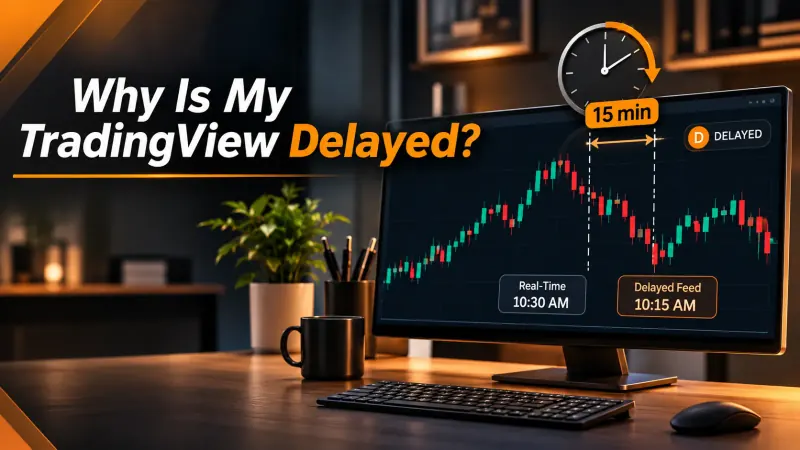
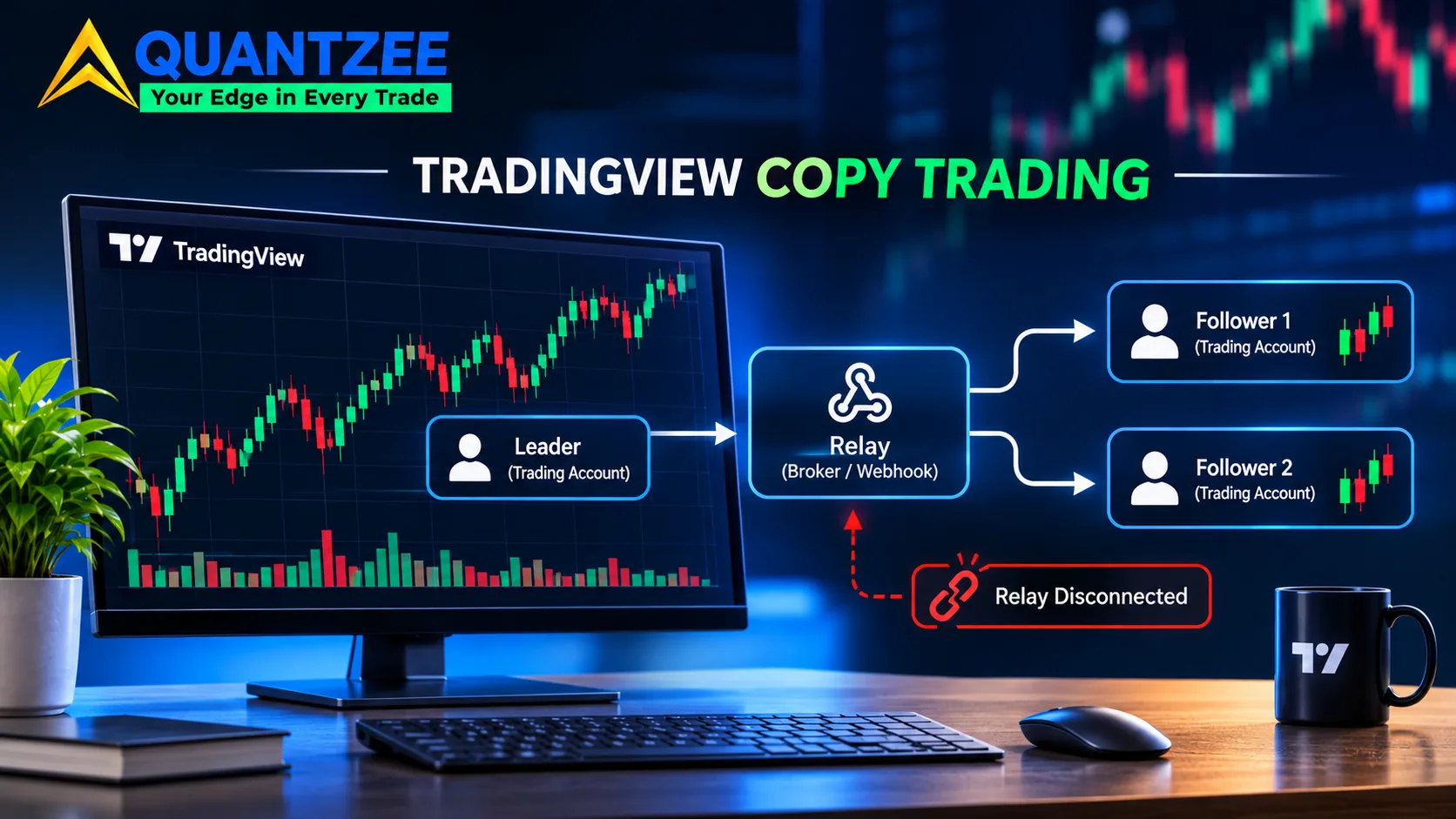
Short answer: you can't copy trade on TradingView with anything built into TradingView. The platform has no feature that mirrors a position from one account into another. What it gives you is three raw parts: alerts, webhooks and broker connections, and alerts inherit any lag on a delayed TradingView data feed. Every setup sold as "TradingView copy trading" is a third-party relay that sits on top of one of those parts, and that relay is the one thing that has to be running when you click. If it isn't, nothing copies, and nothing can copy the trade afterwards.
That's the whole mechanism, and most guides skip it. They start with "which copier should you buy." This one starts with what the copier actually sees, because that decides how your copy chain breaks. Quantzee builds analytical software for TradingView users, so we sit close to alerts and webhooks. This is an explainer, not a ranking, and nothing here is a trade recommendation.
Can you copy trade on TradingView? What the platform actually provides
People type "can you copy trade on tradingview" and expect a button. There isn't one. TradingView lets you chart, set alerts, and connect certain brokers so you can place orders from the chart. That's one account, one order ticket, one person clicking.
Three pieces matter for copying:
- Alerts. A condition on a chart (price crosses a level, an indicator flips) fires a notification.
- Webhooks. An alert can also send an HTTP POST to a URL you choose. According to TradingView's own help page on webhooks, the alert message goes in the request body, and if it's valid JSON the request carries an application/json content type. Otherwise it's sent as text/plain.
- Broker connections. You can trade a supported broker from the chart, which creates real orders and real fills at that broker.
Nothing in that list says "and also place the same order in account B." Anything that does is a relay someone else wrote. So when a vendor says "TradingView trade copier," read it as "a separate program that either watches your broker account or listens for your webhook." Those are two very different programs. Mixing them up is where the money gets lost.
Architecture A: the broker-event listener
The first design is a desktop app (sometimes a browser extension or a hosted worker) that watches your leader account at the broker. You place a trade from the TradingView chart, the broker confirms it, the app sees the fill and sends matching orders to the follower accounts.
What it copies is fills, not intentions. It reacts to something that already happened. That has consequences:
- It only sees what it was running for. If the app is closed, asleep or disconnected when you click, there's no event for it to hear. Opening it later doesn't replay the missed trade. One vendor's learn page says as much in plain terms, that an unopened desktop app can't copy a trade retroactively. Treat that as the baseline rule for this whole category.
- It inherits your leader's slippage. The follower orders are sent after the leader fill. By definition they arrive later, in a market that kept moving. If you want a refresher on that gap, our slippage definition covers it.
- It copies manual actions too. A fat-fingered size, a cancelled order, a bracket you dragged by mistake: the listener sees whatever the broker says happened, and mirrors it.
The good side is that it knows the truth. If the leader order was rejected, there's no fill, so nothing gets copied. The follower accounts never act on a trade that didn't exist.
Architecture B: the webhook relay
The second design doesn't look at your broker at all. A TradingView alert fires, TradingView sends a POST to the relay's URL, and the relay places orders on the linked accounts. Quantzee's TradingView alerts to webhook setup guide walks through the wiring step by step, so I won't repeat it here.
This design copies the signal. It trusts that the alert is the trade. And that's its blind spot: the relay usually has no idea whether the leader account got filled, because in many setups the leader is just another follower. Nobody is "the" account. Every account receives the same instruction at about the same moment.
The trade-off is the mirror image of Architecture A:
- It works without your desktop being on, as long as the relay itself is hosted and up.
- It fires on the alert condition, so it can run unattended, which is exactly why it fails unattended.
- It has no built-in view of fills. A rejected order on one account is a silent hole in the chain unless the relay reports it back.
Here's the part that matters when you're picking between them. TradingView's help page lists limits that apply to every webhook, whatever relay sits behind it. Per that page, requests with a port number only work on ports 80 and 443. If the remote server takes longer than three seconds to answer, TradingView cancels the request. IPv6 isn't supported. And the page itself warns that webhooks "may occasionally fail to reach the specified URL," pointing you to the Webhook status column in the alert log to check delivery. So a slow relay isn't just slow. A relay that needs more than three seconds to respond can turn into a signal that never arrived. Source: TradingView Help Center, "About webhooks."
Which TradingView plan do you need for a webhook alert?
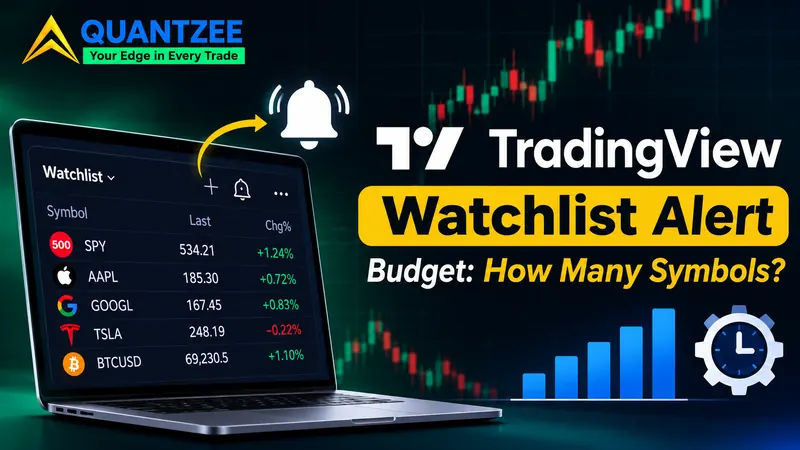
Here I'll be careful, because plan gates change. TradingView's webhook help page (the one quoted above) explains how to configure webhooks but doesn't print a plan table, so I'm not going to state a tier from memory. Before you build anything, open the alert dialog on your own account and look at the Notifications tab. If the webhook URL option is there and usable, your plan allows it. If it's locked, you'll see which upgrade unlocks it. Then check TradingView's plan comparison page for the number of active alerts your plan allows, because that number caps how many separate conditions you can run at once, and a list-wide condition has its own watchlist alert budget per plan. If you want to copy three symbols on two timeframes each, that's six alerts before you add anything else.
Record the date you checked. Plan limits are the first thing to go stale in any copy-trading article, including this one. This page's last check against TradingView's documentation was 5 November 2026.
The silent failure list: how a trade doesn't copy and nobody tells you
A loud failure is easy. The relay throws an error, you get a message, you fix it. The expensive failures are quiet. These are the ones to design against.
1. The relay isn't running
For a listener, that means the app was closed or the machine slept. For a webhook relay, it means the hosted service was down or your own server crashed. In both cases the trade is invisible. There is no queue that catches up later. If you take only one habit from this article, make it a start-of-session check: is the relay up, is it connected to every account, and is each account showing as live?
2. The alert never fires on the session you expected
An alert on a symbol only triggers when the symbol is trading and the condition is met. Extended-hours bars, a holiday, a futures contract that rolled: any of them can leave you with an alert that's armed but quiet. The relay is working perfectly. There's simply no signal to relay.
3. A malformed payload
Remember what TradingView said: valid JSON goes out as application/json, anything else as text/plain. A stray comma, a smart quote pasted from a document, a placeholder that didn't resolve. The POST still goes out, and the relay may reject it without any trade being placed. Webhook status in the alert log tells you TradingView delivered the request, not that the relay understood it.
4. A broker-side rejection on one follower
Account B has less margin, a different contract multiplier, a size limit, or a symbol mapping that doesn't exist at its broker. Account A fills. Account B rejects. With a webhook relay that doesn't reconcile, you now have a book that's half on. With a listener, the same thing happens to the follower leg, since the leader already filled.
5. A leader partial fill that followers take in full
You send 10 contracts on the leader and get 6. A signal-based relay has already told the followers to buy 10 each. A fill-based listener may copy 6, or may copy the original order size, depending on how it was written. Don't guess which. Test it with a small size on a quiet instrument and read what each account ends up holding.
6. Reconnection after a drop
Your internet blinks for ninety seconds. The app reconnects and looks fine. Did it process the fills that happened during the gap, ignore them, or process them late? "Reconnected" and "caught up" are different statuses.
Webhook URLs are secrets. Treat them that way
A webhook URL is an unlocked door with a name on it. If a stranger gets it, they can send your relay any payload they like, and a relay that trusts the payload will try to place the order. That might be a flatten-all instruction, a large size, or a reversed direction on your funded account. The worst part is that it looks like a normal alert in the relay's log.
Practical hygiene, which OWASP's Secrets Management Cheat Sheet covers in depth:
- Don't paste the URL into chats, screenshots, shared docs or public repos.
- If your relay supports a shared token in the payload, use one, and rotate it when anyone who knew it leaves your setup.
- Use HTTPS only. TradingView accepts ports 80 and 443; pick 443.
- Don't put credentials in the alert message. TradingView's own help page warns against sensitive data in the webhook body.
- The page publishes the IP addresses TradingView sends from, in case you want to allowlist them. If your relay lets you restrict by source IP, do it.
Prop firms and brokers: who allows third-party order entry?
This is the question that ends accounts. Some funded-account programs and some brokers restrict or prohibit automated or third-party order entry, and some restrict copying between accounts you control. Rules differ by firm and change without much notice. I'm not going to name a firm and describe its rulebook from memory, since that's how a stale paragraph turns into a violation.
Do this instead. Open the firm's or broker's own published rules and search for "automation," "copy," "third-party" and "EA." If it isn't clearly allowed in writing, ask support and keep the reply. "It worked in the demo" doesn't answer the question, because a demo account usually isn't governed by the same rules as a funded one, and the rule violation gets decided when someone reviews your account, not when the order fires.
What to measure before you trust the chain
Vendor pages publish speed numbers. None of them can be measured from outside, so don't treat them as evidence. Measure your own chain instead. It takes a week and costs nothing but attention.
- Timestamp 1: the alert. The time TradingView says the alert fired (the alert log has it).
- Timestamp 2: the relay log. When the relay says it received the request and when it sent the orders.
- Timestamp 3: the broker fill. The execution time on each account, leader and every follower.
Put the three side by side in a sheet for every real signal across the week. Then look for four things:
- Signals with timestamp 1 but no timestamp 2. Those are delivery failures: three-second timeouts, a relay that was down, a bad payload.
- Signals with timestamps 1 and 2 but a missing fill on one account. Those are broker-side rejections.
- The gap between timestamp 1 and each fill. It will be a spread, not one number. Look at the worst day, not the average.
- The fill price difference between leader and follower, which is your real copy slippage in dollars or ticks.
Keep the sample size honest. Five signals tell you very little; thirty might start to. If you see even one silent miss in a week, you've learned something the sales page never would. Run the first week on the smallest size your broker allows, and never on an account whose rules you haven't read.
Which architecture fits which situation
A selection rule beats a vendor ranking, so here's one. Ask what you can't afford to lose.
- If you can't afford a follower acting on a trade that never happened, favour the fill-based listener. It only copies what the broker confirms. In return, you accept that it must be running at every click and that follower orders lag the leader fill.
- If you can't afford your desktop being a dependency and the signal is rule-based and fully automated, a webhook relay fits. In return, you accept that it copies intent, so you must add your own checks for fills, rejections and partial fills.
- If you're copying a discretionary trader's manual clicks, the signal-based design has nothing to listen to. Only a listener can see a mouse click.
Neither is "better." They fail differently, and the right question is which failure you can watch for. If you're setting up alerts for the webhook route, our alerts setup documentation covers the Quantzee side, and the mobile alert workflow shows how to get a push notification as a second channel, so a dead relay doesn't leave you blind. A phone ping that arrives while no orders appear is the cheapest outage detector there is.
A pre-flight checklist before every session
- Relay running and connected to every account.
- Every follower account showing live, with margin for the size.
- Alerts armed, on the right symbol and contract month.
- Webhook URL unchanged and not exposed anywhere shared.
- Test payload sent in the last 24 hours and acknowledged.
- A second notification channel on, so you hear about misses.
- You've read the account rules for automated or copied orders.
None of this makes a copy chain safe. It makes the failures visible, which is the most you can honestly ask of a setup like this. Anything you copy is still a trade with real downside, and this article offers no view on whether any strategy is worth copying. If you're new to this, practise on a paper account first.
Frequently Asked Questions
Changelog
5 November 2026: first published. Webhook behaviour (ports 80 and 443, three-second timeout, no IPv6, delivery status in the alert log) checked against TradingView's webhook help page on this date. Plan tiers and alert limits were deliberately not restated, because they change; check TradingView's plan page directly.